









Error 404 - Not Found
Yikes, sorry! It looks like the page or resource you're after is MIA. It might've been moved, deleted, or never existed.

You can try searching using the box above or below, or jump to our homepage for the latest content. If this looks like a bug in the system, give us a heads-up and we'll fix it.
Meanwhile, here are some fresh bytes for you to check out:
- 6 Mistakes to Avoid When Buying a Windows Laptop
- I capped Windows Update's bandwidth with Delivery Optimization, and my downloads stopped choking
- Thrustmaster T.Flight HOTAS 5 MSFS Edition Review
- SteelSeries Arctis Nova Pro Omni Wireless Headset Review - One Headset to Rule Them All
- I use this decade-old free tool that finds files faster than Windows Search does
- I install and update most of my apps with this Windows command now, and I stopped downloading sketchy installers
- Hisense U6SF 65-inch MiniLED TV: High Performance Meets Leisurely Convenience
- SteelSeries Arctis Nova 7 Wireless Gen 2 Headset Review - New and Improved, But Is It Enough?
- AMD Ryzen 7 7700X3D Review - Days of Future Past
- Samsung 990 2TB SSD Review - Ninth Gen QLC at PCIe Gen4 Speeds
- ASUS ExpertBook Ultra (Panther Lake) 14" Business Laptop Review
- ASUS ROG Raikiri II Xbox Wireless Controller Review - Ready to Take Control
- MOZA FMP18 Panel Bundle Review: authentic F/A-18 Hornet cockpit controls for flight sims
- I stopped digging through Windows menus after I set up this one folder
- Micron 6600 ION 245.76TB Enterprise SSD Review - Best in Class Programming Speeds
 Microsoft confirms every Windows PC is trackable and how it can lead to your arrest
 Microsoft confirms LG has responded to its monitors silently installing spyware on Windows 11 PCs
 NVIDIA is reportedly increasing the prices of its GeForce RTX GPUs due to rising memory costs
 Snapdragon X Elite laptop runs Cyberpunk 2077 using an RTX 4060 eGPU with the help of an RTX Spark development driver
 No amount of backlash will change Sony's mind on disc cancellation, says ex-Santa Monica dev
 The PS6 controller could eliminate stick drift by using magnetic joysticks
 Xbox confirms free game streaming with ads, clarifies how it'll work and ethos around monetization
 Ex-PlayStation boss can't understand why there isn't a Bloodborne remaster for PS5, but he hasn't given up hope yet
 AMD's Ryzen AI Embedded X100 Series processors are built for autonomous robots and physical AI
 AMD Helios rackscale solution for AI offers 15% more AI Compute than NVIDIA Vera Rubin NVL72
 Thrustmaster T.Flight HOTAS 5 MSFS Edition Review
 SteelSeries Arctis Nova Pro Omni Wireless Headset Review - One Headset to Rule Them All
 SteelSeries Arctis Nova 7 Wireless Gen 2 Headset Review - New and Improved, But Is It Enough?
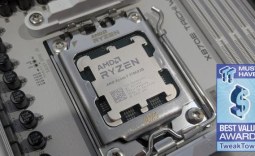 AMD Ryzen 7 7700X3D Review - Days of Future Past
 Samsung 990 2TB SSD Review - Ninth Gen QLC at PCIe Gen4 Speeds
 ASUS ExpertBook Ultra (Panther Lake) 14" Business Laptop Review
 ASUS ROG Raikiri II Xbox Wireless Controller Review - Ready to Take Control
 MOZA FMP18 Panel Bundle Review: authentic F/A-18 Hornet cockpit controls for flight sims
 Micron 6600 ION 245.76TB Enterprise SSD Review - Best in Class Programming Speeds
 MOZA MA3F EFCM Flight Control Module Review: authentic Airbus A320 autopilot panel for simulators
 6 Mistakes to Avoid When Buying a Windows Laptop
 I capped Windows Update's bandwidth with Delivery Optimization, and my downloads stopped choking
 I use this decade-old free tool that finds files faster than Windows Search does
 I install and update most of my apps with this Windows command now, and I stopped downloading sketchy installers
 Hisense U6SF 65-inch MiniLED TV: High Performance Meets Leisurely Convenience
 I stopped digging through Windows menus after I set up this one folder
 Don't sell your Windows laptop until you do these things
 6 PC cleaning mistakes to avoid for safer hardware maintenance
 Phison and Intel Take Aim at Local AI's Memory Wall with aiDAPTIV
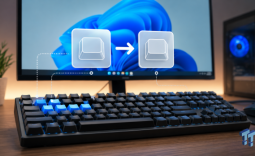 How to Remap Keyboard Keys in Windows using Microsoft PowerToys