









Windows XP SP2: Installation and Tweaking Guide - Introduction & Changes

Well, it's here. After much build-up, Microsoft has released the second service pack for Windows XP. Is it good? Bad? Indifferent? User reports are pretty varied - some people have reported issues with it, while others have noticed a marked improvement in the speed of their system. Probably the only way to know for sure is to give SP2 a test run yourself. Of course, I'll also have to throw in the obligatory disclaimer here and mention that the onus of responsibility for installing SP2 and performing these tweaks - and their results - is entirely up to you.
In this article, I'll take you on a brief overview of what's changed and run you through the installation process before getting into the nitty gritty and examining how to tweak the new settings that SP2 has introduced and revamped. There's also a few general XP tweaks (i.e., ones that will work with fresh/SP1 XP) packed in there too.
Before we do begin, you'll need these things;
Once you've got all of these, you're ready to tweak!
So, what's changed?
Two words that often appear in the same sentence are "security" and "Microsoft". Of course, there's usually a "lack thereof" thrown in there somewhere as well. Numerous worms and viruses exploiting vulnerabilities in Windows has led to a reputation for somewhat dubious security - something that Microsoft seems determined to address in this new patch. Not only has Microsoft completely revamped the Internet Connection Firewall (or ICF, now known as the Windows Firewall and covered in detail on the next page), but introduced the Windows Security Center, designed to be a simple nexus to control and manage key security settings.
Another key security issue that has been addressed is the way the Remote Procedure Call object works. No longer sporting super-privileges and with firewall restrictions, the RPC will hopefully become less of a target for malicious users aiming to exploit Windows NT-based systems, such as those who wrote the universally crippling "Blaster" worm. In a similar vein, SP2 provides for a hardware-enforced no-execute method, which means that processors that support it are able to protect program code from data. This will serve to defend against viruses that attack memory marked for data, although at the time of writing, the only consumer processors to support this features are the Athlon 64/Opteron family.
Also updated is the way Automatic Updates are handled, with SP2 now ensuring that the user makes a definitive choice regarding automatically downloading patches and the like. Additions have also been made to the Internet Explorer browser, which now utilizes an integrated popup blocker and is more conscious about potentially dangerous downloads. Other miscellaneous features that have seen some improvement include Direct X, WiFi and Bluetooth support, Media Player, and Outlook Express.
If you're really interested in what other changes Microsoft have slipped in with SP2, you can view the full listing here:
http://support.microsoft.com/default.aspx?scid=kb;%5bLN%5d;811113
How much to upgrade to x64 Edition?
Windows XP SP2: Installation and Tweaking Guide - Installation
So, now that you know what SP2's going to do for you, you'll probably want to move on to the next step, which is installing the service pack before making a backup of your current Windows environment. SP2 is cumulative, so you can install it onto a fresh XP install and still have all the features provided by SP1 and other patches.

Installing the service pack is pretty simple - just run the executable and follow the prompts. It can take a while to install (the P3 1.4 GHz w/ 256MB RAM I tested SP2 on installed it in ~15 minutes), but once it's installed, you'll be asked to reboot your system. Do so, and you'll immediately notice a few changes once your computer starts up.

As you can see, Microsoft has ensured that the user has to make a conscious choice regarding Automatic Updates, which is a handy feature. After making your selection, Windows will load further and you'll be confronted with one of the major changes in SP2 - the Windows Security Centre.

The WSC is a simple management panel for your computer's security settings. You'll see the status of the Windows Firewall (default is ON), which is discussed in more detail on the next page. The WSC also displays the status of Automatic Updates and any virus protection software you might have installed. If you don't want Windows to worry about antivirus software (i.e., you've got your own antivirus installed), expand the "Virus Protection" tab and click on "Recommendations...", then check the "I have an antivirus program that I'll monitor myself" box before clicking "OK".
Before you start tweaking, it's a good idea to back up your system environment. Although SP2 does do it's own backup so that you can uninstall it afterwards, if you just want to undo any tweaks that have gone awry, this way will lessen your hassles. Do this by going to Start } Programs } Accessories } System Tools } Backup and following the prompts. This way, if XP decides it doesn't like what you've been fiddling with, you can easily restore without too many hassles.
How much to upgrade to x64 Edition?
Windows XP SP2: Installation and Tweaking Guide - The Windows Firewall
The Windows Firewall is much like any other - it serves to block unsolicited traffic. It's based on XP's previous Internet Connection Firewall, and has been updated with more control options and the ability to start protecting the computer as soon as it boots up (previous versions allowed services to transmit without any checking during boot time). The Firewall dialog can be opened from within the Windows Security Centre, or by clicking on its icon in the Control Panel. When you do this, you'll see the following dialog;

Now, your first decision is really whether you want to use the firewall or not. If you already have a firewall program set up and configured on your machine, it's probably a good idea to stick with that and turn the Windows Firewall off. In fact, I was quite surprised when reading through the WF documentation to come across this;
"You do not have to use Windows Firewall - you can install and run any firewall that you choose. Evaluate the features of other firewalls and then decide which firewall best meets your needs. If you choose to install and run another firewall, turn off Windows Firewall."Looks like Microsoft are finally putting security ahead of monopoly - credit to them. Now, assuming you do want to use the Firewall - and it will suffice for a lot of users - there are still a few settings to adjust. Firstly, click on the "Exceptions" tab and ensure that the checkbox "Display a notification when Windows Firewall blocks a program" is ticked. This way, if WF blocks a program you want to use (e.g., ICQ), a notification will pop up and you'll be able to add it to the list of exceptions. Similarly, if you know now of any programs or specific ports you want to be unblocked, you can add them to the exceptions list by clicking "Add Program..." or "Add Port..." respectively. Clicking on the "Advanced" tab will bring up a few more important options.

Here, you can control which network connections have the Windows Firewall applied to them (defaults to all connections). With a connection selected, clicking "Settings..." will allow you to add program and service exceptions for that specific connection, as well as controlling ICMP packet restrictions (see below).

Internet Control Message Protocol (ICMP) is one of the staples of internet communication. Providing services like ping, tracert, and source quenching, ICMP packets can be useful tools in internet communication and troubleshooting. By default, however, the Windows Firewall blocks all ICMP packet traffic from entering or leaving your computer. This would mean, for example, that others would be unable to ping your computer to determine connectivity. You can change this by clicking on the "Settings..." button in the ICMP section of the Advanced panel and selecting which ICMP services you wish to allow.
How much to upgrade to x64 Edition?
Windows XP SP2: Installation and Tweaking Guide - Network Setup & Tweaks
IPv6 Support

This isn't so much a "tweak" per se as it is a mention of the fact that with SP2 comes support for version 6 of the Internet Protocol (IPv6). Those of you running (or wishing to run) IPv6-compatible networks can now install the protocol by clicking "Install..." in the properties dialog for the specified connection.
Limited TCP/IP Connections
After installing SP2, a few users noticed that they were getting messages such as "EventID 4226: TCP/IP has reached the security limit imposed on the number of concurrent TCP connect attempts." This is because, in an effort to reduce the spread of worms through XP, Microsoft has reduced the number of concurrent TCP connections allowed. The reasoning for this is explained by this quote from a Microsoft employee (thanks to http://www.warp2search.net);
"This new feature is one of the stack's "springboards", security features designed to proactively reduce the future threat from attacks like Blaster and Sasser that typically spread by opening connections to random addresses. In fact, if this feature had already been deployed, Sasser would have taken much longer to spread.While this goal is a commendable one, it may prove to be a problem for users with many TCP connections - especially those using file-sharing programs. You can change the setting which controls this maximum limit with the Registry Editor. Open the Editor by going to Start } Run and typing 'regedit'. Once opened, navigate to
It's not likely to help stop the spread of spam unless spammers are trying to reach open email relays in the same way, by opening connections on smtp ports of random IP addresses. This is new with XP SP2 and we're trying to get it right so that it does not interfere with normal system operation or performance of normal, legitimate applications, but does slow the spread of viral code. New connection attempts over the limit for half-open connections get queued and worked off at a certain (limited rate)."
"[HKEY_LOCAL_MACHINE\SYSTEM\CurrentControlSet\Services\Tcpip\Parameters]"
Here, there should be a DWORD value named "TcpNumConnections" - if not, create one, and set it's value depending on the number of connections you want. "0xfffffe" is the value used for unlimited connections, although you may want to set the number far lower if you wish to preserve Microsoft's original intent of slowing the spread of worms. I would recommend incrementing the number slightly (remember the value is hexadecimal) and seeing if you still experience a "maximum connections reached" error before bumping the value up any more.
If you don't find the "TcpNumConnections" value in the "\Parameters" folder, you should check all of the folders in the "\Parameters\Interfaces" folder for the value as well.
If you're still experiencing problems with 4226 error messages popping up, you can try a patch (at your own risk), downloadable here:
http://lvllord.de/4226fix/4226fix.htm
The 5th Dimension

Well...not quite. This is a tweak I've only seen floating about since the release of SP2, but I don't see why it wouldn't work with previous releases of XP. Basically, there's an additional "zone" built in to Internet Explorer's Internet Options > Security Tab, apart from the default "Internet", "Local intranet", "Trusted Sites" and "Restricted Sites". This extra zone is "My Computer" - basically allowing you to set security restrictions for your own system.
The actual usefulness of this I'm not too sure on, but if you want to give it a while, open regedit and navigate to:
["HKEY_CURRENT_USER\Software\Microsoft\Windows\CurrentVersion\InternetSettings\Zones\0"]
Then simply alter the key called "Flags" to "1", as below. After a restart, you'll be able to access the "My Computer" zone.
How much to upgrade to x64 Edition?
Windows XP SP2: Installation and Tweaking Guide - Miscellaneous Tweak
Services
Ah, services. Useful little things - but only when they're needed. If your system is running services that it doesn't need, then it's wasting memory. XP Pro users can control their services by going to Start } Run and typing "services.msc" and hitting enter. Behold the mighty service manager! Rather than go through all the possible services myself, I'll link to this site:
http://www.blackviper.com/WinXP/service411.htm
Black Viper has done an awesome job of listing just about every service you're ever likely to come across (updated for SP2, as well), and also hosts registry files for simple, "all-in-one" tweakage. There's also some good information for XP Home users wishing to change their services as well.
NB: If you decide to disable the "Automatic Update" service, you may have issues using Windows Update on the Microsoft site as of Service Pack 2. If you plan to be updating regularly, consider leaving the "Automatic Update" service as "Automatic".
User Tracking
This tweak is valid for XP Pro, but with any (or no) Service Pack installed. By default, XP tracks each individual's file access patterns - which documents they access, when and how often, and then customizes some Windows features around this data. An example of this is the "personalized" default start menu. If, like me, you use the classic start menu, or just want to speed your box up a little by reducing the system overhead, you can disable user tracking by going to Start } Run and typing "gpedit.msc".

USB Polling
Anyone who has made the unfortunate move of buying an USB modem will know how many CPU cycles those things crunch. The same goes for most USB devices - and, by extension, the mere act of searching for any attached USB devices. By default, XP searches for newly connected USB devices every 1ms. You can change this to every 5ms (provided you can wait the extra 4ms) by altering (or adding) the following registry value.

Navigate to
["HKEY_LOCAL_MACHINE\System\CurrentControlSet\Control\Class\{36FC9E60-C465-11CF-8056-444553540000}"]
and then create a REG_SZ key called "IdleEnable" before setting its value to "1". You'll get a minor (perhaps not easily noticeable) improvement - but an improvement all the same!
Processor Power +
This tweak, like the couple above, can be performed in XP before or after Service Pack installation. There are a set of various functions that XP performs approximately once every three days, and then only when the system is idle. These functions could include disk defragmentation-like processes, file sorting, et cetera. As actually executing these programs may take some time (between 10 and 15 minutes), don't use this tweak and expect immediate results.

To force XP to complete any queued tasks, open Start } Run and type:
Rundll32.exe advapi32.dll,ProcessIdleTasks
before pressing "Enter". Your hard drive light should flash with activity while the task are being carried out, or you can examine the services running by opening the Task Manager (Ctrl + Alt + Delete).
How much to upgrade to x64 Edition?
Windows XP SP2: Installation and Tweaking Guide - Conclusion
So, what's the final verdict on SP2? Well, all in all, it's a mixed bag, really. The enhanced security features are certainly a step in the right direction, and will go a long way to defending a lot of non tech-savvy consumers from all those internet nasties out there. For those of us that are a little more experienced, some of the new features are somewhat limited - the Windows Firewall, for example, provides no means for controlling outbound traffic - so if you've got a trojan on your computer that makes a connection with a host somewhere else, Windows will assume it is a "good" connection. Of course, if you're a more experienced user, you shouldn't have a trojan on your computer in the first place!
Many people have complained of incompatibility issues after installing SP2 - there have been plenty of horror stories about constant "Application not compatible with current service pack" messages appearing. I have to admit that this wasn't an issue for me at all - while I didn't go and run every program on the test computer, I fired up Office, Photoshop, and Age of Empires 2 without any problems whatsoever. In fact, I noticed what a few other people have - what seems to be a slight increase in the responsiveness of the explorer shell after installing SP2. Whether this can be verified through benchmarking will be up to others, though it's something I'll definitely watch with interest.
Overall, if you've managed to keep your computer up to date with all the critical security patches, have no need for a firewall, and are somewhat reticent about installing SP2, you can probably do without it - for the time being. Ultimately, though, I expect it will come to be a standard Service Pack slipstreamed into everybody's XP distribution, and if you think it might be of use now, I'd encourage you to install it (after backing up first, of course) and at least giving it a test run. Not having to use third-party popup blockers is definitely an advantage, and those of you running AMD 64/Opteron systems will be secure in the knowledge that Microsoft's new NX (No eXecute) security is protecting you somewhat better than the rest of us plebeians.
Whichever choice you make, have the best of tweaking!
How much to upgrade to x64 Edition?
Our Latest TweakTown Guides
- The PowerToys utilities I keep enabled on every Windows 11 PC, and the ones I turned off within a week
- USB Ports Not Working in Windows 11? Try These Fixes
- Second Monitor Not Detected in Windows 11? Try These Fixes
- Turn Your Old Smartphone Into a Dedicated Webcam for Your Windows PC
- The Send To menu is the right-click feature on Windows 11 that nobody bothers to customize

 The PowerToys utilities I keep enabled on every Windows 11 PC, and the ones I turned off within a week
 USB Ports Not Working in Windows 11? Try These Fixes
 Second Monitor Not Detected in Windows 11? Try These Fixes
 Turn Your Old Smartphone Into a Dedicated Webcam for Your Windows PC
 The Send To menu is the right-click feature on Windows 11 that nobody bothers to customize
 Zelda Ocarina of Time remake confirmed for 2026 launch on Switch 2
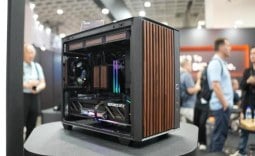 ID Cooling shows off wooden PC cases and matching AIO coolers at Computex 2026
 Formula V Line's Ice Nova Pro 3 air cooler could be perfect for brass-themed PC builds
 SAMA's Computex 2026 lineup includes a curved-glass case and AIO coolers with swappable screens
 Master Chief crashes the Covenant's vacation in new Halo remake prequel missions
 Highlights from MSI's impressive 40th Anniversary Exhibition in Taipei
 Halo: Campaign Evolved PC requirements revealed, RTX 4080 and 32GB of RAM required for 4K 'Ultra' settings
 HP's new limited edition Ferrari laptop is made from carbon fiber and glass
 GeForce RTX 50 SUPER Series is now rumored to be coming in early 2027
 COLORFUL's new slim RTX 5070-powered iGame M15 and M16 Origo laptops automatically lock when you're away
 Navman MiVue Smart True 4K Surround Dashcam Review - Seeing In All Directions At Once
 IQUNIX Magi96 Pro Aluminum Low Profile Mechanical Keyboard Review - Premium Build, Satisfying Sound
 Asetek Forte S-Series Racing Simulator Bundle Review
 Razer Pro Type Ergo Wireless Split Ergonomic Keyboard Review - Built for Comfort and Support
 ASUS ROG Strix Morph 96 Wireless Gaming Keyboard Review - Great Performance, More Affordable
 SAPPHIRE Radeon RX 9070 GRE PULSE OC Review - A New 1440p Challenger Has Arrived
 NZXT H6 RGB+ Compact Dual-Chamber Chassis Review
 ASRock Radeon RX 9070 GRE Steel Legend Review - The RDNA 4 Mid-Range Reshuffle
 ASRock Z890 Taichi Aqua Motherboard Review - Flagship features without the flagship price
 GIGABYTE Z890I AORUS Ultra Motherboard Review - Mini-ITX with surprisingly good thermals
 TweakTown's Best of Computex 2026 Awards - The Best Hardware, Gaming Gear, and AI
 Phison E37T SSD Controller Exclusive Preview - The Fastest DRAMless SSD Platform Yet
 ASUS WiFi Routers and Networking Solutions Deliver Long-term Security and Reliability with No Additional Cost
 Windows 11 will not let you pin a folder to the taskbar, but a 30-second workaround does
 ASUS ProArt Displays Unlock Creativity with Professional Monitors for Everyone