


Introduction and First Look
 13
13The original 3DMark came out all the way back in 1998, a huge 15 years ago now and arrived as 3DMark99. This, at the time, ushered in a totally new era of testing out your PC. I would've run that bad boy over a thousand times without a problem. Back in those days, we were in three-digit MHz processors, less than 512MB of RAM, and barely even had dedicated 3D graphics cards.
It was a time when 3DFX were the shiznit, and 3D graphics were just going more mainstream on PC. After that we saw releases of 3DMark pretty quickly, moving into the mainstream and being used by enthusiasts and gamers alike to test their systems out. This can be for entertainment purposes, or to test your new overclock on your CPU or GPU.
I've always found 3DMark to be the best test to see how you score against similarly speced PCs as yours. For example, you've just purchased a brand new Radeon HD 7970 GPU and you feel performance in games isn't what you've seen online. Download and install 3DMark and compare it to tech sites or other users' 3DMark scores and if you come close - you're all good - but if you don't, you know something is wrong.
Fault finding until you reach scores within 5-10% of a similar system online, and you're on the right track. That's how I've personally used 3DMark over the years, but now Futuremark are stepping in a truly different direction: multi-platform benchmarking.
 13
13The new 3DMark we're testing out today is for Windows, but there will be an Android, iOS and Windows RT versions released shortly. We've just downloaded a copy of the new 3DMark ahead of the public release to take a look at how it runs, the tests included and just a quick rundown of what to expect from the latest benchmarking software we'll all become accustomed to over the coming years. And we aren't missing anything here, the new 3DMark is simply called "3DMark", no numbers or naming after it.
Our Setup
The system I'm using comes from parts from Corsair, Sapphire and ASRock. Just hours before I began writing this article, a new Radeon HD 7950 arrived on my door step from GIGABYTE, so we'd like to thank them too.
This late arrival is actually perfect, as we'll be able to do a quick run on single-GPU tests, and then slot in the second HD 7950 for some dual-GPU action. Oh boy. I love me some multi-GPU tests. The specs we have cranking along inside of our system thanks to our partners are:
- Intel Core i7 3770K @ 4.8GHz
- Corsair H100 Hydro Cooler
- Corsair Force Series GT 240GB SSD
- ASRock Z77 Extreme 9 motherboard
- Sapphire Radeon HD 7950 OC Edition
- GIGABYTE Radeon HD 7950 WindForce Edition
- Corsair Obsidian 800D Case
- Corsair 8GB kit of DDR3 - CMZ8GX3M2A1866C9
- Windows 7 Ultimate Edition x64
- AMD Catalyst 13.1 drivers
We'll do is a single test of 1080p at absolute maximum settings in the new 3DMark at stock GPU settings, then we'll repeat it with some overclocks on the GPU. We'll then run the standard Fire Strike test at stock, and then again at an overclocked GPU speed.
We'll then slot in the second HD 7950 and do it all again to provide us with some single-GPU and multi-GPU tests, at stock and overclocked numbers. This should give us some great results to look over.
Features and a Quick Run of Performance in the new 3DMark
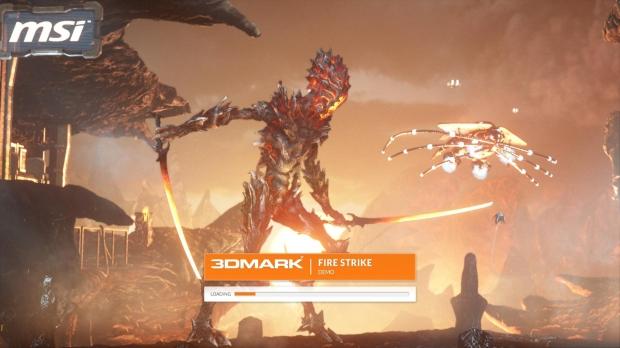
We'll only be running the higher-end tests of 3DMark, which are the Fire Strike and Fire Strike Extreme benchmarks. I spent a couple of hours playing around with my system and 3DMark and came to really enjoy the new test from Futuremark.
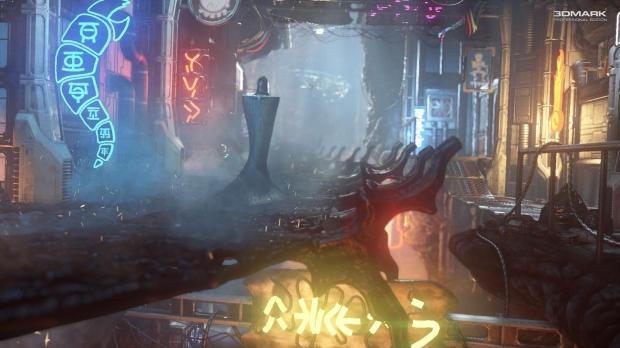
It's not as time consuming as the previous 3DMark's, which is great. Fire Strike looks incredible, and features a bunch of high-end visuals to impress, and tax your system. Fire Strike is split into four different tests, with Graphics test 1, Graphics test 2, Physics test and Combined test.
Fire Strike's engine is very capable, featuring multi-threading, tessellation, advanced lighting, surface illumination, volumetric illumination, particle illumination, particle-based distortion, depth of field, lens reflections, bloom, and smoke simulation. It truly is a next-generation benchmark.
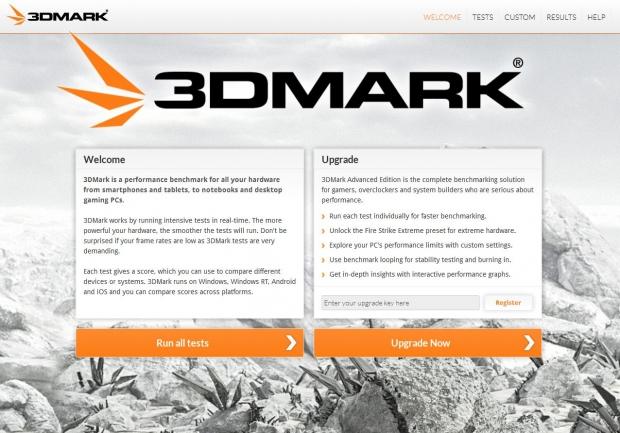
Let's open 3DMark up and introduce you to the latest benchmark that will soon be rushing across PC's all across the world. Upon opening up 3DMark, you're greeted with a welcome screen which allows you to upgrade and enter in a product key.
 13
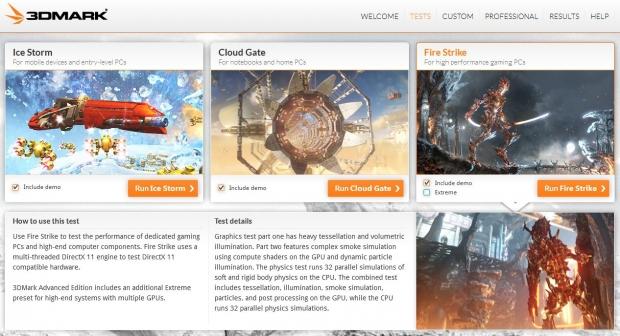
13Once you're past this screen, you're shown the three tests you can run - Ice Storm, Cloud Gate and Fire Strike. We'll be concentrating on Fire Strike for now, but rest assured, you're going to see Ice Storm and Cloud Gate featured in our future reviews on multiple platforms - notebooks, smartphones, and more.
 13
13You can run a custom test, too, as well as Extreme mode on Fire Strike which is for higher-resolution monitors (as it runs at 2560x1440) and multi-GPU setups.
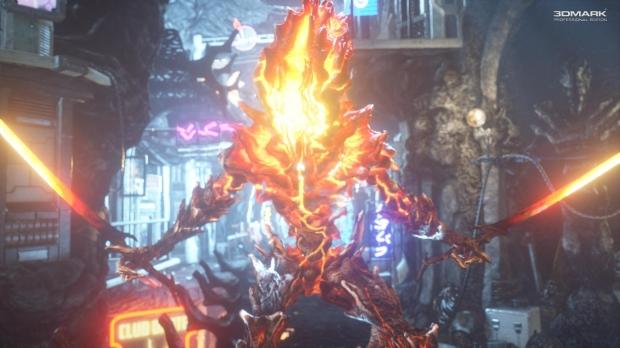
Here are some shots of Fire Strike running, in all of its beautiful glory.
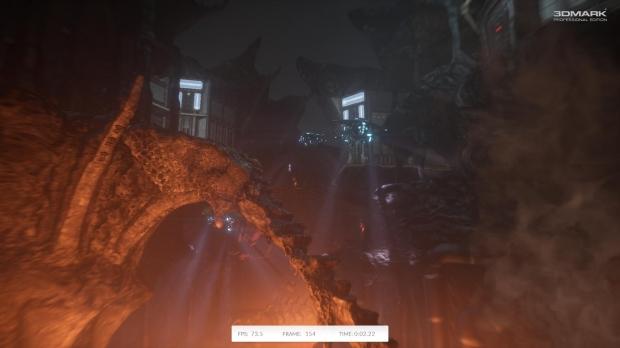 13
13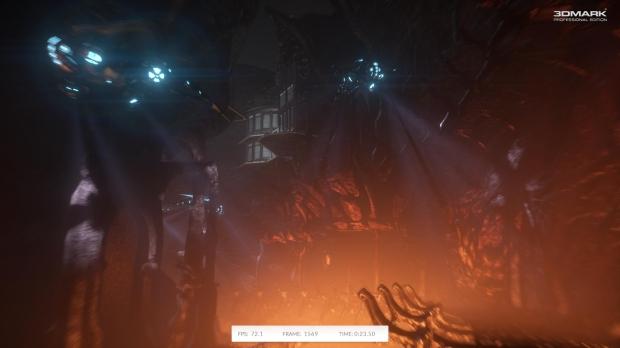 13
13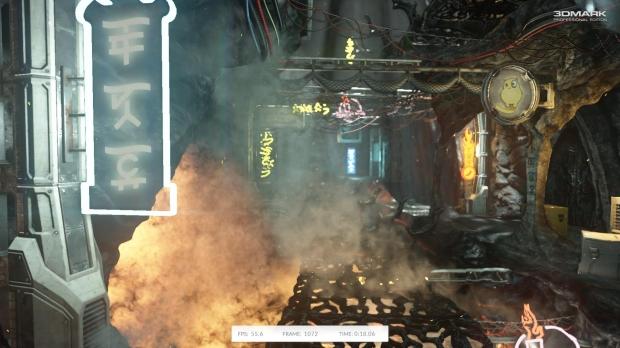 13
13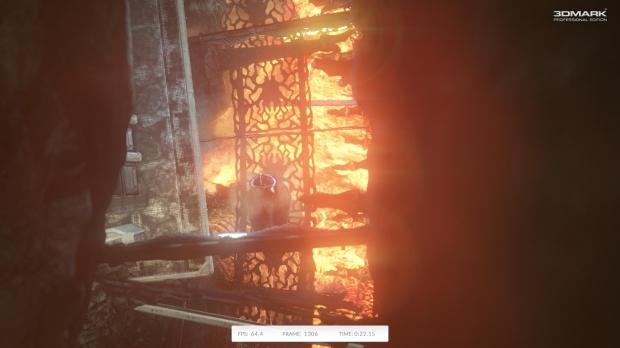 13
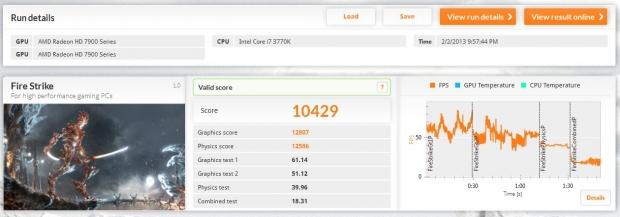
13Once you've run your test, you'll get a final 'Run details' screen. This will go over your system specs, your 3DMark score (broken down into multiple parts), the FPS, GPU and CPU Temperature are shown, too.
 13
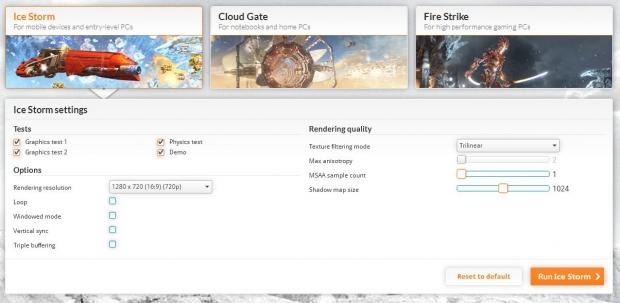
13Moving onto Custom benchmarks - these have a very handy customization section. You can change the rendering resolution, texture filtering mode, antistrophic filtering, anti-aliasing and much, much more. This will allow you to do some very custom benchmarks, and some loops if you want to really stress your hardware.
 13
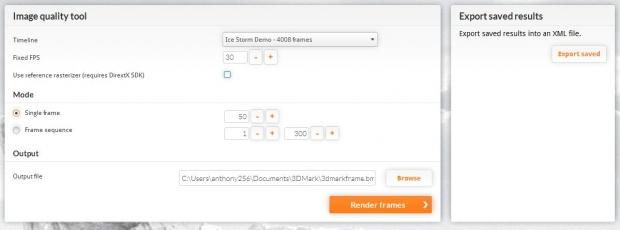
13The Professional section of 3DMark allows you the feature of an Image quality tool - with this tool, you can choose a timeline, a fixed FPS, and more. You can go by single frames, or choose an entire custom frame sequence.
 13
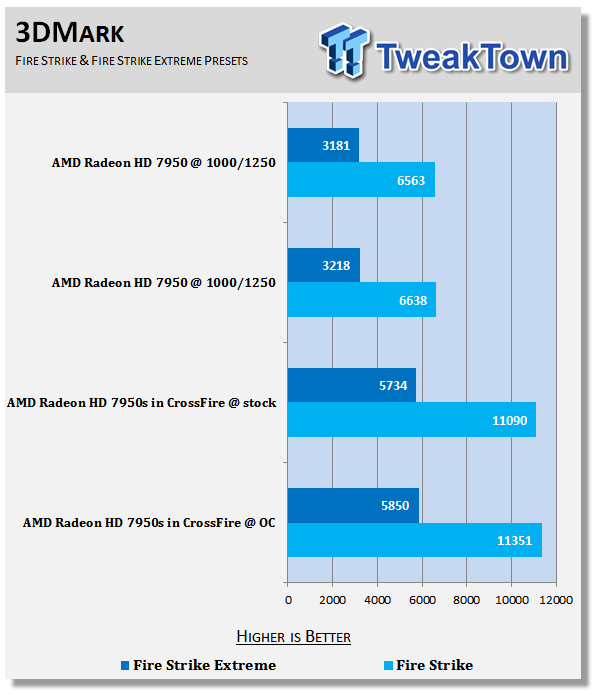
13Now onto our benchmarks! We ran the higher-end Fire Strike test, as well as Fire Strike Extreme. Overclocks on our Radeon HD 7950's didn't really help all that much, but you can see a slight difference in stock and OC. We've tested out some two-way HD 7950 GPUs for some multi-GPU action, too.
Watch this space as we continue our multi-GPU adventures, we'll be bringing you some 3-way and 4-way GPU action in the near future on both the AMD and NVIDIA sides of things.
 13
13One last great feature is that every benchmark you run with 3DMark is auto saved, meaning you can load them back up and view your scores and data. This is an excellent feature and I found myself double checking results very easily.
Final Thoughts
 13
13Wrapping up this look at 3DMark, I'd like to say that I'm impressed. I wasn't completely blown away by the graphics of the new 3DMark, but there are some truly jaw-droppingly beautiful scenes in it which picked my enthusiasm right back up.
The customization allowed is huge, and the simple testing of the Fire Strike and Fire Strike Extreme benchmarks make it easier than ever to quickly test out your system to see how your results fare against the rest of the world.
The cross-platform friendliness that Futuremark are going after is going to pay off, big time. Being able to have a single benchmark for tablets, smartphones, notebooks, and PCs, is going to be great. It's going to bring everyone more together in the benchmarking scene and create a much more streamlined look at performance on a wide variety of devices. We've been told to expect the other platform versions "in weeks, rather than months".
I would love to see more social network interaction within 3DMark, where on the results page a "share to Facebook" button could be added. Clicking this button would automatically share it to your wall, where you could rub your new 3DMark score in your friends' faces, creating a more competitive vibe to 3DMark.
This would really help on smart devices, as they're much more social devices and a Facebook feature or Facebook integration would be great.
Overall, I love the new 3DMark and it is going to become a cornerstone of my benchmarks for TweakTown from now on. Good work, Futuremark!
 United
States: Find other tech and computer products like this
over at
United
States: Find other tech and computer products like this
over at  United
Kingdom: Find other tech and computer products like this
over at
United
Kingdom: Find other tech and computer products like this
over at  Australia:
Find other tech and computer products like this over at
Australia:
Find other tech and computer products like this over at  Canada:
Find other tech and computer products like this over at
Canada:
Find other tech and computer products like this over at  Deutschland:
Finde andere Technik- und Computerprodukte wie dieses auf
Deutschland:
Finde andere Technik- und Computerprodukte wie dieses auf  Unreal Engine 5.4 brings significant updates to ray tracing and rendering for 60 FPS gaming
 SK hynix plans $14.6 billion on new chip fab in South Korea to meet 'soaring demand' of HBM
 You can pick up AMD's flagship RDNA 3 GPU, the Radeon RX 7900 XTX, for $850
 Tesla unveils new Model 3 Performance: 0-60 mph in 2.9 seconds, 163 mph top speed
 GIGABYTE confirms AMD Ryzen 9000 Series processors are coming soon
 ACEMAGIC AD08 "Core i9 11900H" Mini PC Review
 Lenovo ThinkPad X1 Carbon Gen 12 Review
 ASUS ROG Swift Pro PG248QP Gaming Monitor Review - Frames, frames, and more frames
 FlexiSpot C7B-Mesh Ergonomic Office Chair Review
 Samsung G8 34-inch QD-OLED Gaming Monitor Review - 175Hz for $900
 ASRock NUCBOX-155H Mini PC Review
 NuPhy Air96 V2 Wireless Mechanical Keyboard Review
 TEAM T-FORCE Siren DUO360 RGB Liquid CPU Cooler Review
 AVerMedia Live Streamer ULTRA HD Review
 AVerMedia Live Gamer 4K 2.1 Review
 Everything you need to know about the latest ASUS NUC Mini PCs - NUC 14 Pro and ROG NUC
 How to Overclock Your GPU and Boost Your PC Gaming with ASUS GPU Tweak III
 ASUS's AMD Radeon RX 7000 Series GPU lineup has something for every gamer
 ASUS OLED Premium Care defends the ROG Swift OLED PG32UCDM gaming monitor from burn-in
 Patriot Viper Xtreme 5 Engineering Prototype 48GB Dual-Channel Memory Kit Preview