

Introduction and Planning and Placement
 26
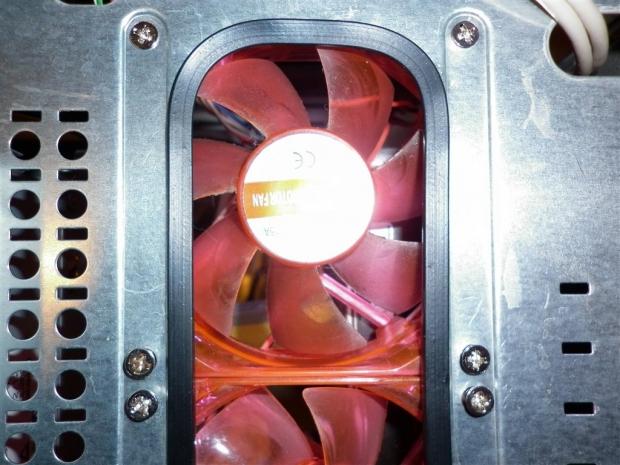
26We start our journey into modding with a fairly straight forward case mod, installing a new fan.
Not only is installing fans in unintended manufacturer locations easy, it serves a purpose - airflow. Whether your case is failing in the airflow department or if you want an extra 120mm radiator in your loop, adding case fans can alleviate most heating problems.
One of the best things about this mod beside its simplicity is it will most likely only take an hour or two to complete, so please join me as we go through the steps of smithing a new fan mount.
Planning and Placement
First thing's first, we need to decide on positioning off the fan or fans we want to install. I have chosen to mount a 140mm Antec fan onto the side panel of my Linux shed rig for the purpose of this guide. In this location the fan will provide cool air to the stock 478 CPU cooler, and this point brings me to my first piece of advice, airflow.
[img]2[/img]It is completely pointless installing a new fan somewhere it will interfere with other fans airflow or recycle hot air back into the components we're trying to cool. When deciding upon a position for a new fan, we must remember the rules of airflow and temperatures, do some research and decide on your new fans positioning accordingly.
Secondly we want to keep clearance in mind when installing, especially in smaller locations like front bezels and bays. Accuracy is the key here especially when cutting fan holes for water cooling radiator configurations such as the Corsair Hydro series cooling kits. When deciding on potential placements, always remember to factor in components that are yet to be added inside your case. There is no point in doing a lot of hard work only to find something isn't fitting just right.
 26
26Marking out and Measuring
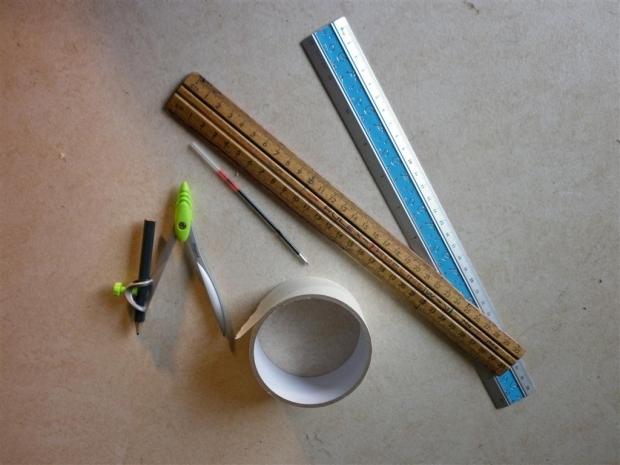
With placement chosen we next need to mark out the cuts and drill holes and to do this we will need a ruler, compass, pencil / marker and a tape (medium tack).
 26
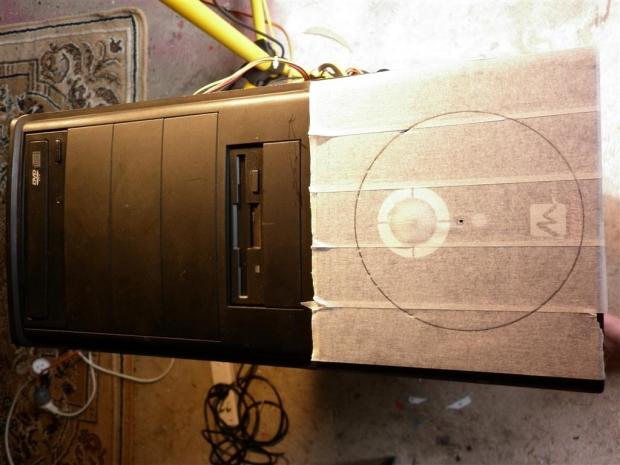
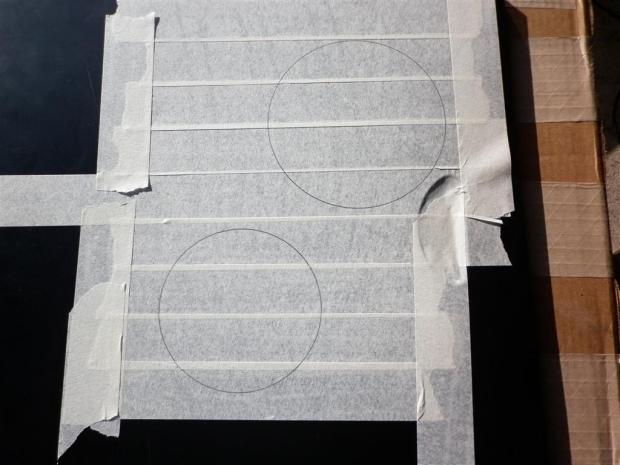
26Taping off the cutting area isn't compulsory, but is a good habit if you want to keep your paint job clean and blemish free. Taping the area also makes marking out dark cases much easier as well as keeping the paint from chipping while cutting which in the long run will save you some extra clean-up work.
With our work area taped up, mark out roughly where you want the center of your fan to be - center up if necessary using your ruler. Set your compass to the necessary size using the guide below, and once correctly set, proceed to draw out your desired fan size. It is best to try and draw one clean circular line to save confusion when cutting out. If your circle doesn't join up, erase and start again.
 26
26Tip: Your compass needs to be set to the following sizes for the corresponding fans:
80mm fan = 40mm
92mm fan = 46mm
120mm fan = 60mm
140mm fan = 70mm
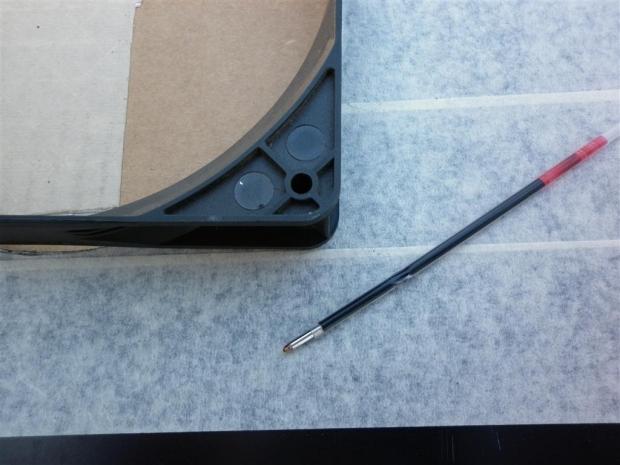
Finally we want to mark out the drill holes for the mounts. Line up a fan over the top of the circular compass markings previously made. I find the easiest way to mark the holes is to take the center out from a ball point pen, and this will fit straight through the fan mount.
Check that the fan is lined up by placing the pen through and wiggle on the tape beneath. This will leave a pen mark on the tape - repeat this process for the remaining three fan mount points. When you remove the fan you will be left with four perfect fan mount markings just waiting to be drilled.
 26
26Cutting
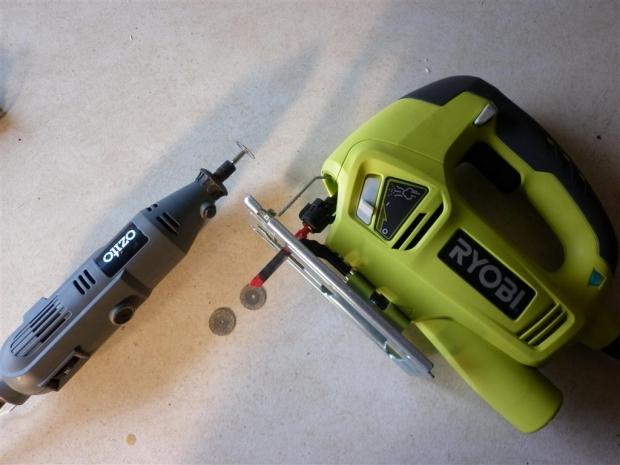
Finally we get to play with some power tools, but like always, safety first! Safety glasses are a must when cutting and drilling as it creates a lot of debris that could damage your eyes. I would also recommend checking your measurements and clearance again at this point, as it is the last chance. There are a few options when it comes to cutting fan holes, let's take a look at each of the preferred methods.
 26
26- Hole Saw
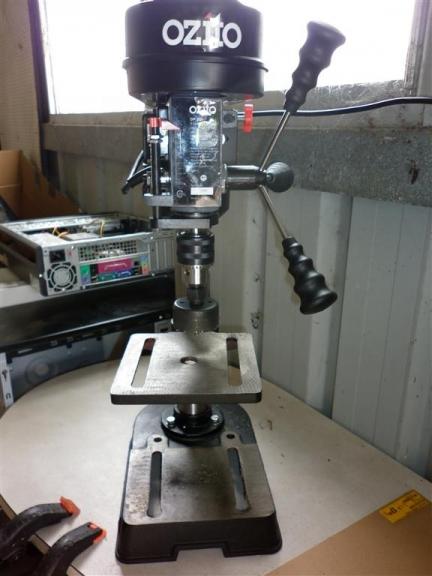
Instantly this is what most people think will be the easiest way to cut fan holes, but this method has some hidden catches. Firstly the larger hole saws capable of 80-120mm holes are fairly expensive and can range from $30 upwards. This is fine if you plan on cutting a lot of the same size holes, but for one off jobs, it can be an expensive odd job. Secondly to get a clean cut at these larger sizes ideally you should use a drill press to account for chattering. Unfortunately a drill press is a tool not everyone can afford or has immediate access to.
 26
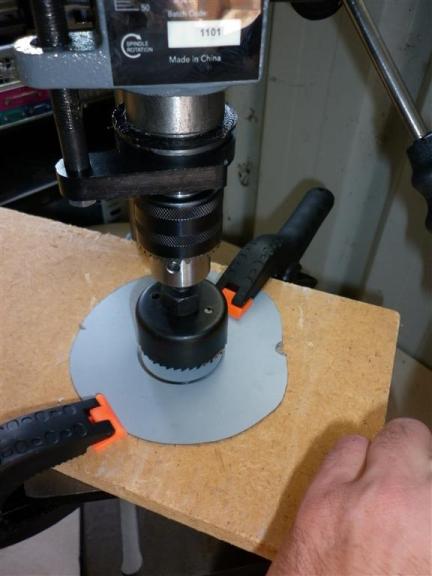
26If you decide to proceed down this path using a hole saw and drill press, first drill a small pilot hole into the previously marked out center point. Once the pilot hole is complete, proceed with your hole saw cut slowly with your press at a high speed to avoid rough cuts. Some metal cutting fluid/oil may also help the process run a bit smoothly.
 26
26One thing that should be noted when using a hole saw is the resulting holes are always slightly larger, as the hole saw cuts to the size of its outside circumference. Keep this in mind as once you have cleaned the cut up it may be slightly larger than you were intending.
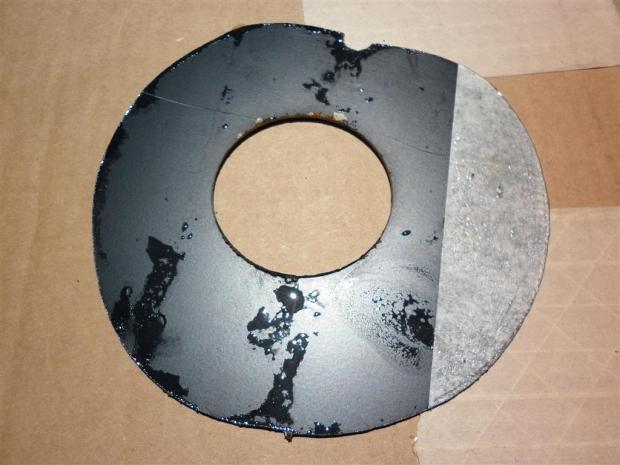 26
26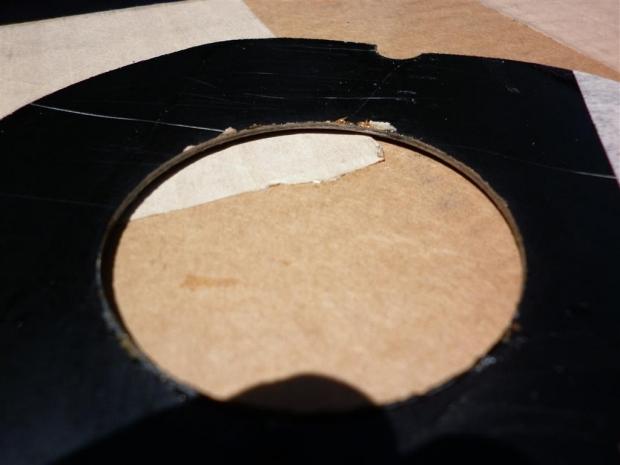 26
26- Jigsaw
This is my preferred method of cutting holes. Start by clamping down your panel and then drill a pilot hole on the inside of you proposed cut. This needs to be far enough away to allow for the larger size hole that needs to be made next.
Now the pilot hole is completed move up to a larger size drill bit to extend the hole. I use a 1/4" size drill bit as this allows for the jigsaw blade to fit comfortably with enough leeway for easy manoeuvrability.
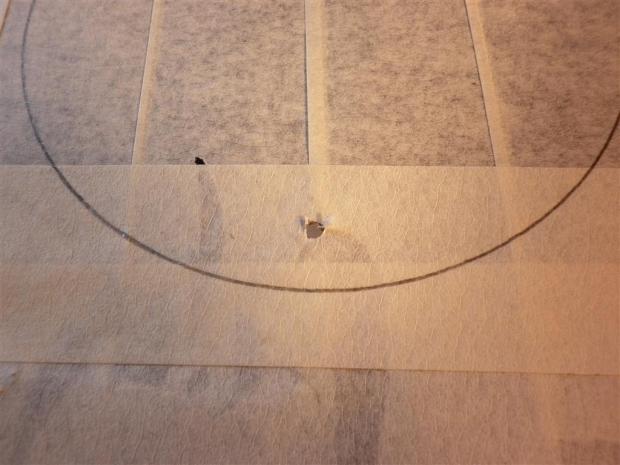 26
26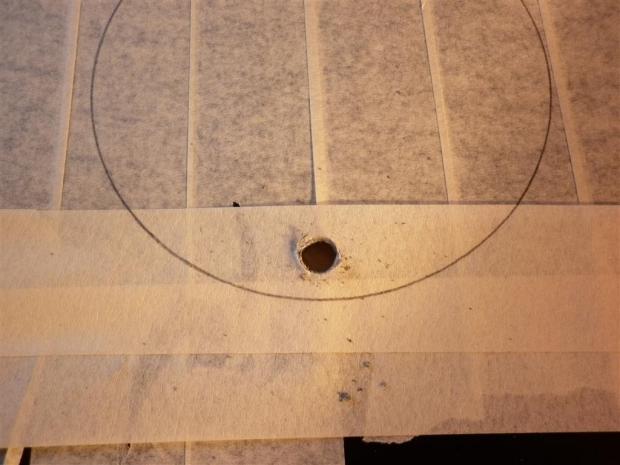 26
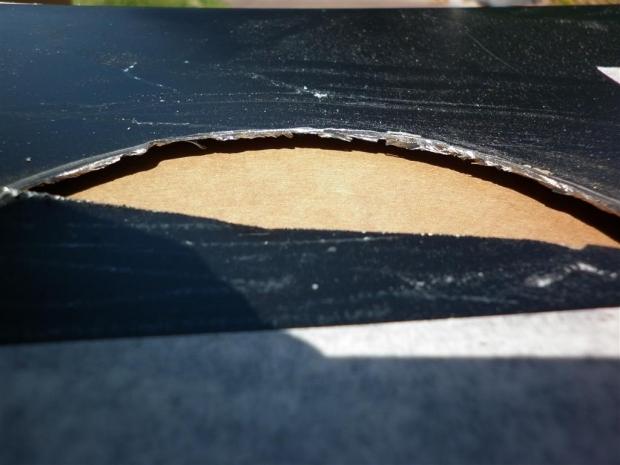
26With the larger hole drilled hopefully as close to the cutting line as possible we now take our jigsaw with a sharp new metal blade as this will help with cutting out a circle. Place the blade through your drill hole and proceed to cut around the circle. The trick to cutting round patterns with a jigsaw is cutting slowly and trying not to twist and force the blade. Let the tool do the work for you!
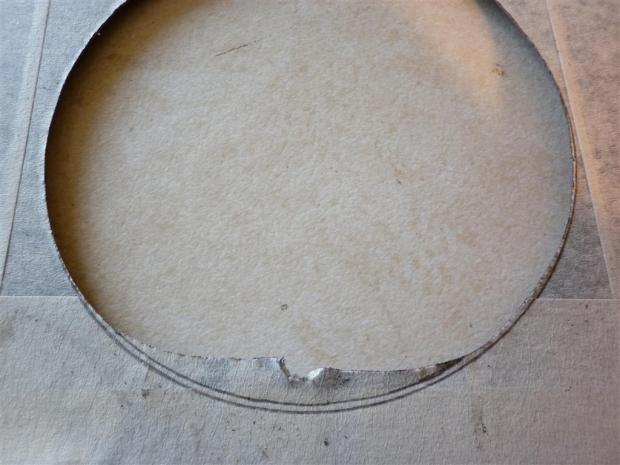 26
26Cutting rounded shapes with a jigsaw can be daunting and a bit tricky at first so if you are unsure its best to give it a trial run on some scrap first. The way I learnt to cut panels was by using old beige case side panels that I no longer needed.
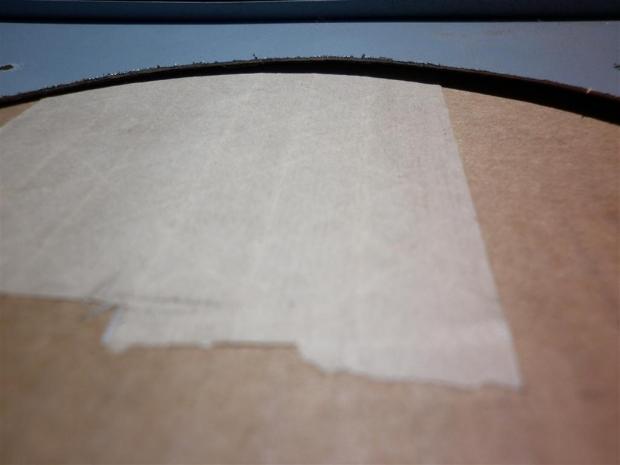 26
26- Rotary Tool
Another of the most preferred methods is using the always reliable rotary tool. It's always best to use diamond cutting wheels when working on thicker case panelling as they tend to last a lot longer. Clamp down your project making sure you have a clear cutting area below, hold your rotary tool at a 45 degree angle using both hands making sure not to block the tools ventilation. Although this method may be a bit more time consuming than the jigsaw, it allows a lot more control for the novice modder.
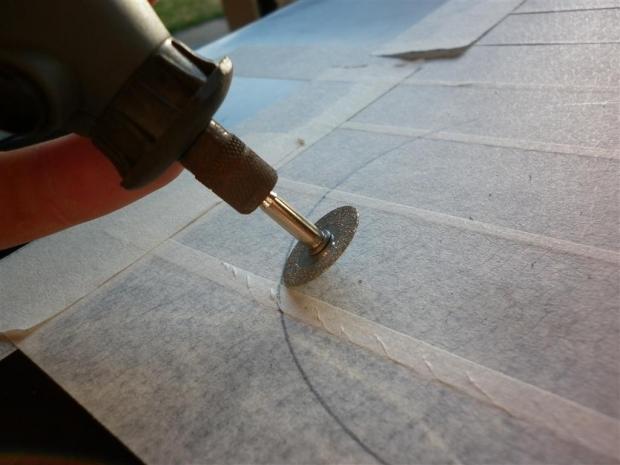 26
26Still holding your rotary tool at 45 degrees, slowly work your way around the cutting line using the curve of the cutting disc to cut a perfect circle. Don't apply too much pressure and when you see the cutting wheel has made its way through to the other side, move onto the next section and continue cutting.
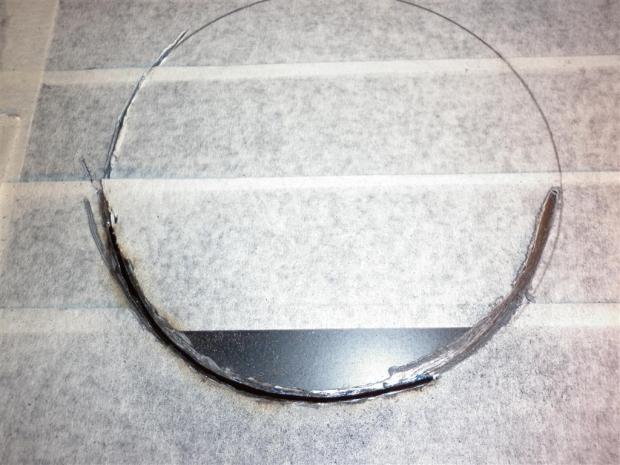 26
26Again let your tools do the work and try not to use excessive force to try and speed up the process. With a slow steady hand you will find yourself wearing your cutting wheels out instead of shattering and snapping them at regular intervals, hence ultimately costing money.
 26
26Drilling the Mounts
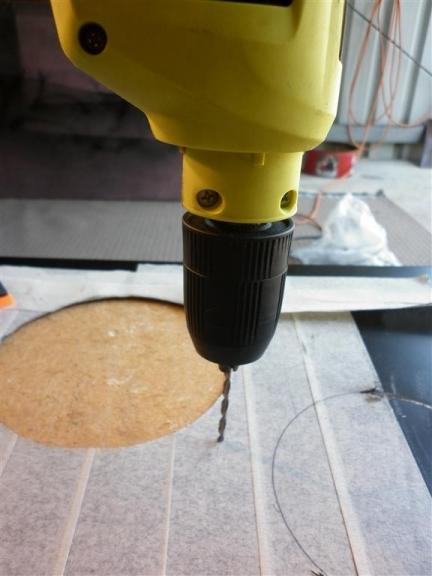
Drilling your mounting holes is a straight forward procedure which can be done with your hand drill or a drill press. Clamp down your panel onto a thick scrap wood backing or bench, using a 1/4"³ drill bit and a straight vertical motion slowly work your way through the panel. If you are worried about slipping or rolling the drill bit, I would suggest using a center punch or pilot hole to pre-mark out planned holes.
 26
26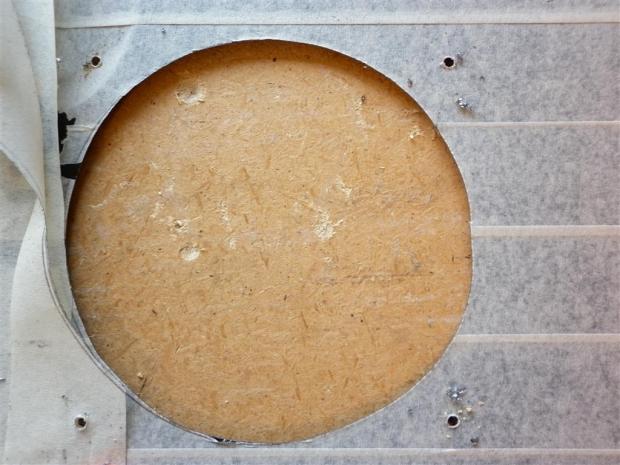 26
26Clamping Tip: When clamping down materials for cutting or drilling, it is best to clamp your item as close to the work area as possible. This will help reduce unwanted reverb and chattering while attempting delicate work.
Cleaning Up and Final Thoughts
Cleaning Up
 26
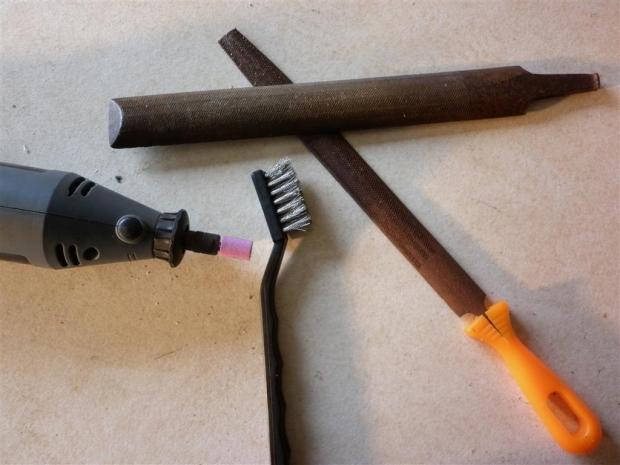
26Now we are starting to look at a nearly finished fan mount, but before we get too excited and mount up, we need to clean all the rough edges. Like most things of a modding nature, we can go about this a few ways - the slow clean way or the quick and dirty method.
Basically what we want to do is take off the rough edges and get everything looking nice and round, knocking off any excess edges. This of course can be done by starting with a coarse half round bastard file and working around the cut and finishing with a finer smooth half round file until we have a nice smooth edge.
 26
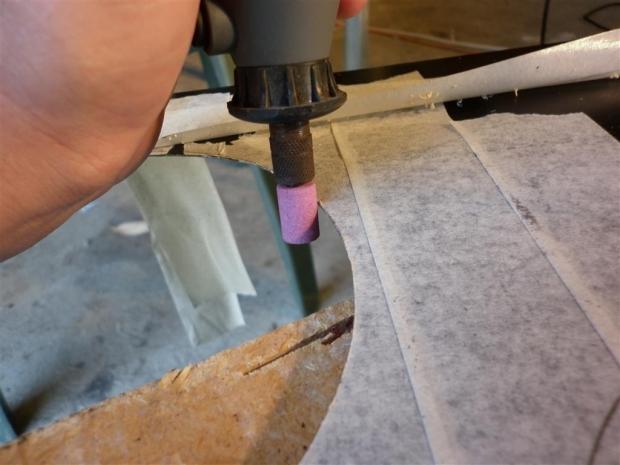
26The other way of getting things done is using your rotary tool and round grinding accessory. I would only suggest this method if you are confident with a rotary tool. With the tool set at a high speed run the grinding bit around the edge almost routing the excess metal away. It is extremely easy to skim away too much ruining your edge, so take your time and concentrate on a quarter of the circle at a time. You may still need to finish with a fine file to knock off any remaining metal burs.
Finishing it all off
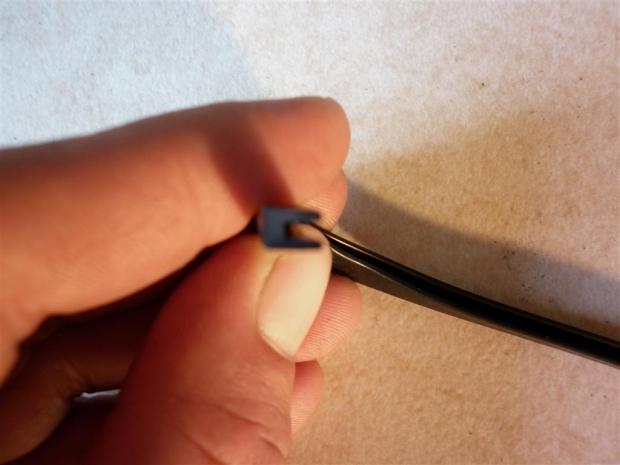
So how do we hide the bare metal edge that we have remaining before installation? Simple! Let me introduce you to an essential item in modding, U-Channel Moulding. With various names depending on your location and widely available and inexpensive at most good hardware stores, U-Channel is used in a majority of mods that involve cutting panels.
 26
26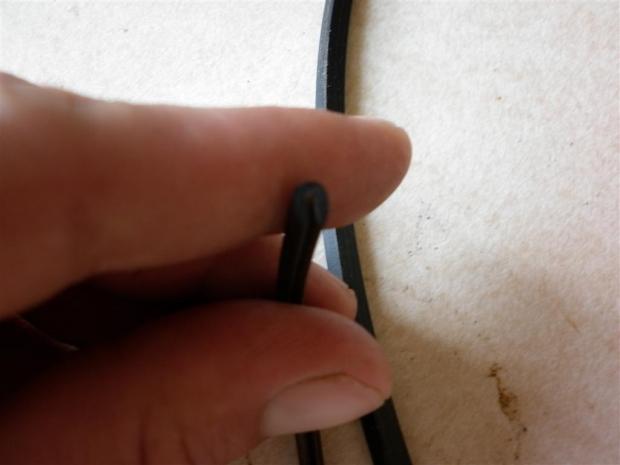 26
26Below I have added a guide for measurements on how much U-Channel is needed for the standard fan size holes. Using an X-Acto knife or scissors to cut the desired length, fit the channel around the inside of the fan hole. This will disguise exposed metal and to a small degree will hide uneven cuts.
80mm fan = 252mm
90mm fan = 290mm
120mm fan = 377mm
140mm fan = 440mm
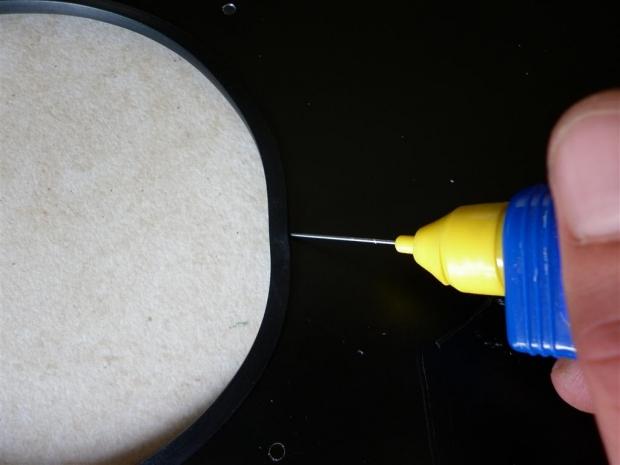
The majority of the time the U-Channel will hold itself in place if cut to a perfect length. But if you find it swells away from the metal edge, you can use a small amount of epoxy glue on the inside of the channel to fix this. Mix and apply a small amount of the glue then clamp the channelling into place and allow to dry. You should find this will fix any problems with stubborn fitting U-Channel.
 26
26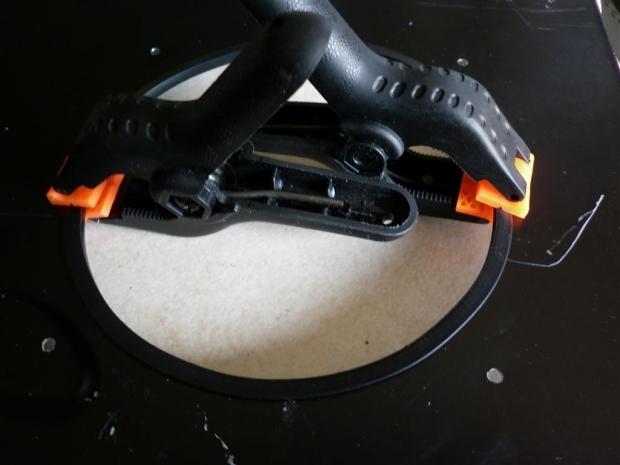 26
26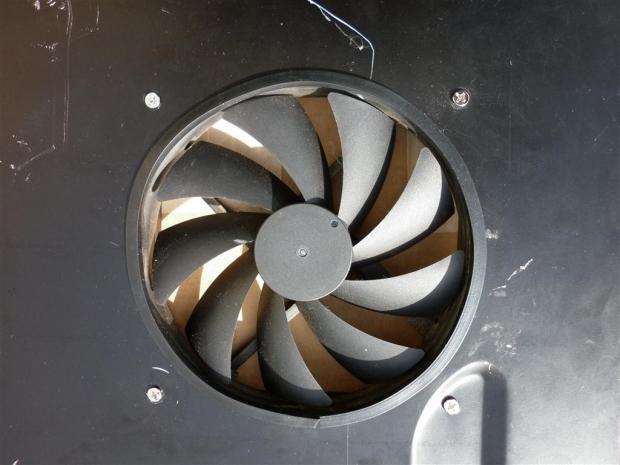 26
26This is a simple mod for first timers which if thought out thoroughly can not only be inexpensive, but also an effective way to add a possibly unique cooling solution. Utilizing some basic modding techniques all of which can be used in a wide variety of applications and projects, why not get creative? You never know the cooling benefits you may be able to add to your rig.
 United
States: Find other tech and computer products like this
over at
United
States: Find other tech and computer products like this
over at  United
Kingdom: Find other tech and computer products like this
over at
United
Kingdom: Find other tech and computer products like this
over at  Australia:
Find other tech and computer products like this over at
Australia:
Find other tech and computer products like this over at  Canada:
Find other tech and computer products like this over at
Canada:
Find other tech and computer products like this over at  Deutschland:
Finde andere Technik- und Computerprodukte wie dieses auf
Deutschland:
Finde andere Technik- und Computerprodukte wie dieses auf 


 New Halo Infinite Banished Honor pass criticized for lack of unlockables
 Spartan Points are coming to Halo Infinite
 Stellar Blade climbs PlayStation's best-sellers list as positive reviews roll out
 New Apple TV+ TV show details Black Panther leader Huey P. Newton and the trailer's here
 Apple's best-ever iPhones could be behind a slowdown in new device activations
 ACEMAGIC AD08 "Core i9 11900H" Mini PC Review
 Lenovo ThinkPad X1 Carbon Gen 12 Review
 ASUS ROG Swift Pro PG248QP Gaming Monitor Review - Frames, frames, and more frames
 FlexiSpot C7B-Mesh Ergonomic Office Chair Review
 Samsung G8 34-inch QD-OLED Gaming Monitor Review - 175Hz for $900
 ASRock NUCBOX-155H Mini PC Review
 NuPhy Air96 V2 Wireless Mechanical Keyboard Review
 TEAM T-FORCE Siren DUO360 RGB Liquid CPU Cooler Review
 AVerMedia Live Streamer ULTRA HD Review
 AVerMedia Live Gamer 4K 2.1 Review
 Everything you need to know about the latest ASUS NUC Mini PCs - NUC 14 Pro and ROG NUC
 How to Overclock Your GPU and Boost Your PC Gaming with ASUS GPU Tweak III
 ASUS's AMD Radeon RX 7000 Series GPU lineup has something for every gamer
 ASUS OLED Premium Care defends the ROG Swift OLED PG32UCDM gaming monitor from burn-in
 Patriot Viper Xtreme 5 Engineering Prototype 48GB Dual-Channel Memory Kit Preview