

Introduction and The Package
Introduction
 14
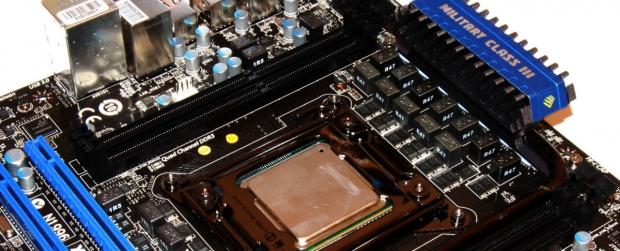
14As we draw closer to the November launch of the Sandy Bridge-E platform, we get the chance to check out some of the new motherboards that are due to coincide with the launch. Due to NDA, we can't get too specific on CPUs, nor can we talk about anything performance related. We seem to have the ability to tell you a fair bit about the board, though.
So, in following our normal preview style, we'll check out the MSI X79A-GD65 today and see what we've got to look forward to come November. Apparently I can't be specific about a launch date, but let's be honest, we all have a fairly good idea of when it's due.
So what's our normal preview style? - Well, we'll check out the box and the package of the board. Once that's done we'll take a closer look at the board itself and go through some of the main features that are on offer. There are some things we can't cover, but there's a lot we can.
Once we've done all that, we'll wrap everything up a little bit while we wait for the official NDA to lift and we can start to have a really good time with the new platform. But first, let's see what's going on with the package.
The Package
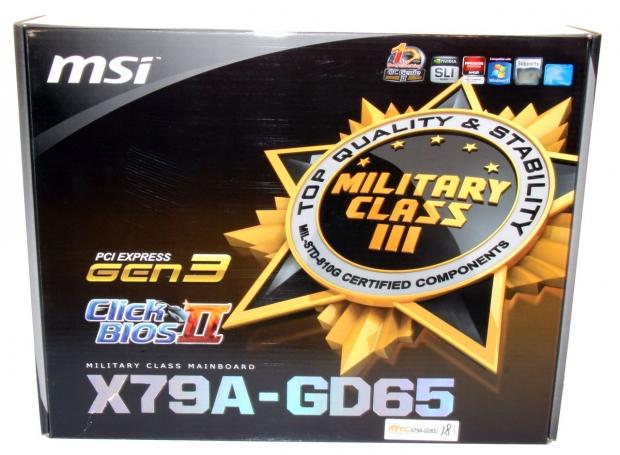
The packaging was one of the first things that took my attention as we see MSI move away from that white / reflective package. Instead, we've just got a darker black one here which looks pretty good. It's worth noting that we're dealing with the "GD65" here today and not the higher end "GD80" that we normally see from MSI. At launch it seems we'll only see the "GD65" with a "GD80" probably coming in the near future.
 14
14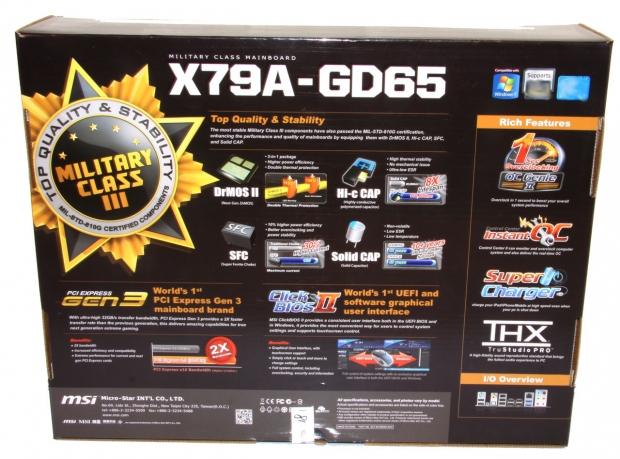 14
14Turning the box over, we've got a bunch of details in regards to the main features that are on offer including mainly MSI specific ones. Things like OC Genie II and Click BIOS II are present along with a push on those "Military Class III" components MSI promote.
 14
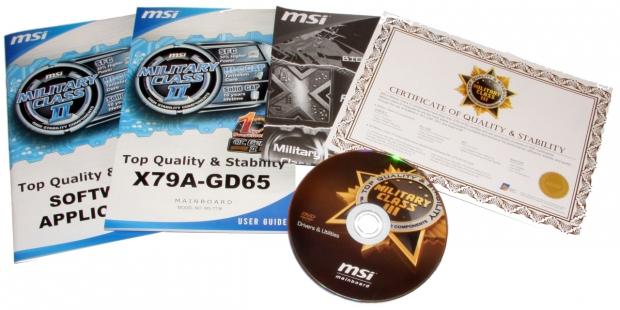
14Moving inside the box, we've got the normal line-up of paperwork (albeit the final paperwork will have the new Military Class III branding seen on the CD) and the certificate of quality and stability. Along with all that, we've also got the normal Driver CD which includes a couple of MSI utilities as well.
 14
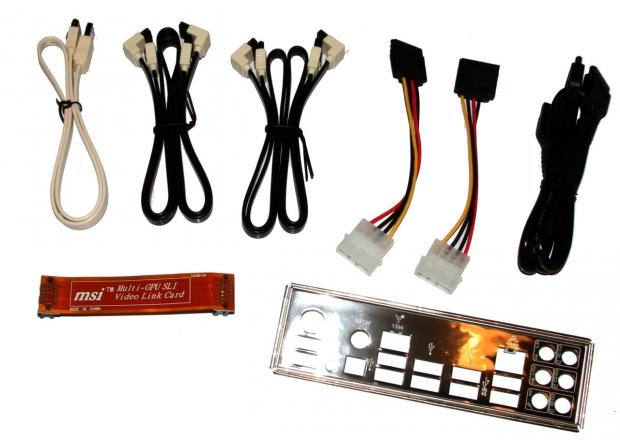
14The cable department is pretty full on; we've got a total of five SATA cables, two Molex to SATA connectors and a Molex to dual SATA connector. We've got a single SLI bridge installed and of course the normal I/O back plate.
 14
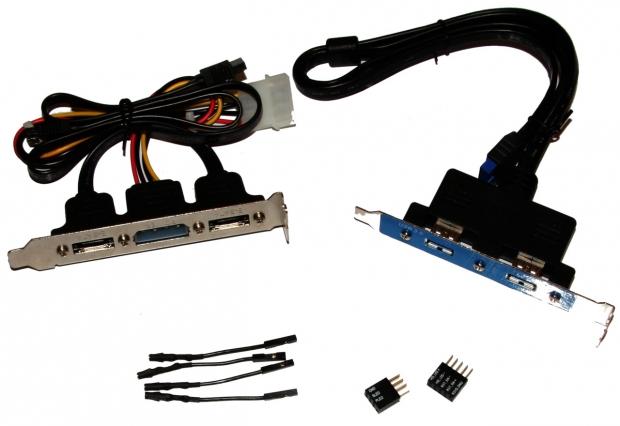
14As far as extras go, we've got two back plates; one for eSATA and the other consists of two USB 3.0 ports. We've also got some connectors for making plugging in your front panel stuff easier along with our little connectors for the voltage check points that are clearly going to be present on the board.
MSI X79A-GD65 - The Board
MSI Z68A-GD80 - The Board
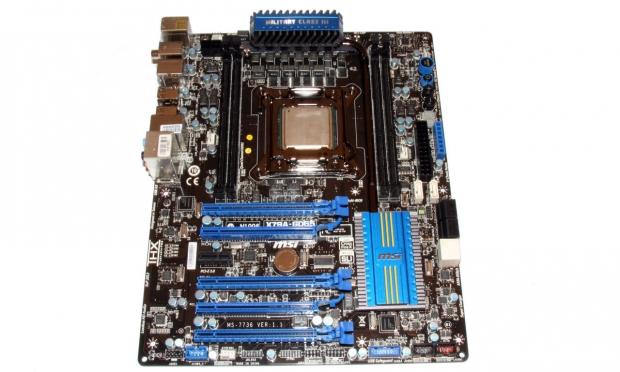
Looking at the board, we've got a fairly standard kind of design going on with that darker colored PCB and blue highlights throughout the board. There are clearly some differences present, though, and as we move in closer we'll take a look around and see what exactly is going on.
 14
14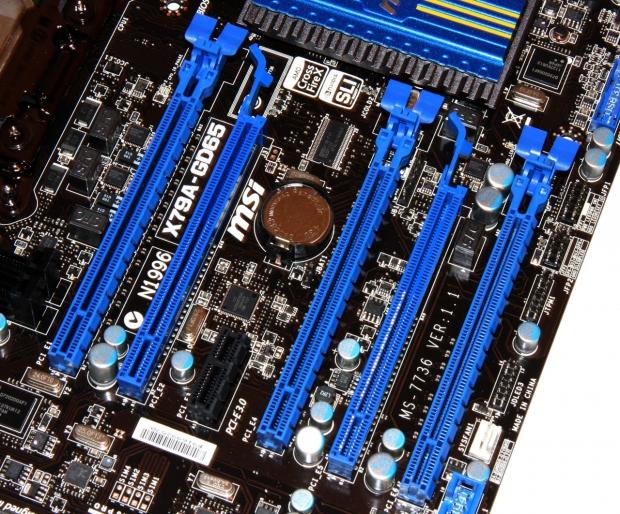 14
14Moving closer into the board, we start to get an idea of what's going on. You can see for the first time in a while we're lacking any PCI Legacy slots which is really nice and on the PCIe 1x front we've got only a single one. The rest of the slots are made up of PCIe x16 ones with a total of five being present on the motherboard.
We can't get specific on the speed of the slots, but if you look carefully you can probably get a fair idea by the wiring. Behind the battery you can see that both CrossFireX and SLI are supported, so you should get a fair idea of what's going on.
 14
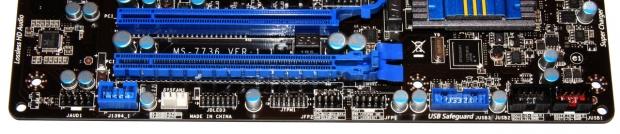
14The bottom of the board is filled with all our little headers that we're used to seeing. Starting from the left, you can see we've got our Audio header and FireWire one. Moving on, we've got a fan header, Voice Genie header, TPM module connector and our two front panel connectors. Finally, we finish off with our USB 3.0 header and next to that we've got two USB 2.0 headers.
 14
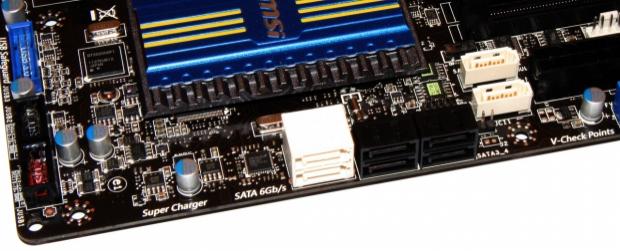
14Turning the corner, we can see a total of eight SATA connectors present on the board. The six that face out all run off the X79 chipset, with the two white ones being SATA III and the four black ones being SATA II. The other two white connectors pointing upwards are SATA III and they run off the ASMedia ASM1061 controller.
MSI X79A-GD65 - The Board Continued
MSI Z68A-GD80 - The Board Continued
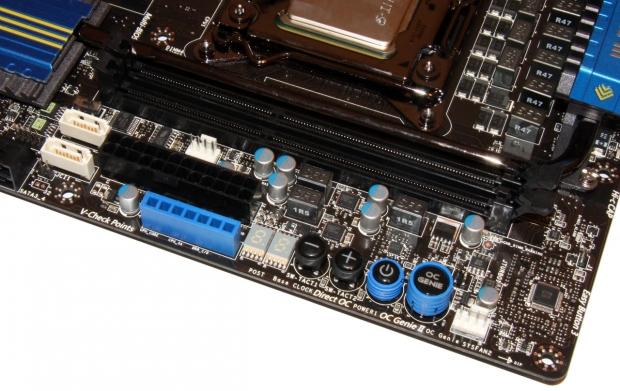
Moving to the top of the board, we can start to see where all the action happens. Starting from the left, you can again see our ASMedia SATA III connectors and next to that we have our main 24-Pin ATX power connector. Under that we see our "V-Check Points" which give you the ability to check the voltage levels on certain parts of the motherboard. It's a nice feature, but I've said many times I'm not sure how many people are actually using it.
 14
14Moving over more, we can see our LED Debug reader and next to that we've got a + and - button. MSI label these as "Direct OC". I'm pretty sure we can't tell you much about this, but it's fairly self-explanatory. Next to those two buttons we've got a further two; one is our power button while the other is our OC Genie one. We of course know OC Genie is the auto overclocking feature on MSI motherboards and it will be interesting to see what kind of pre-overclock this feature yields on the new SB-E platform.
 14
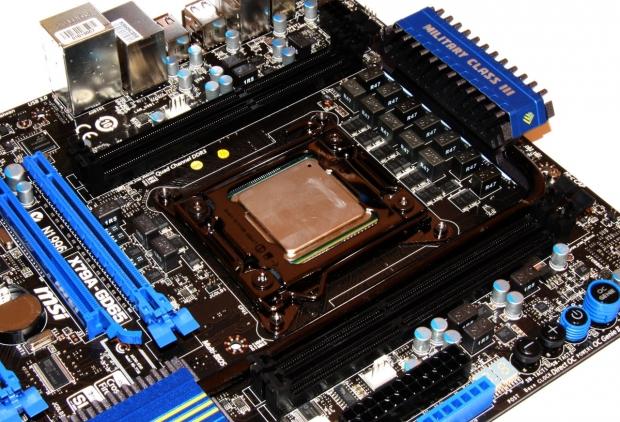
14One of the big things we're seeing with the X79 Chipset is the introduction of Quad Channel memory. We can't tell you at what speeds, but we've seen a lot of companies show it off; it's going to be really interesting to see what kind of performance it offers over Dual Channel. This particular version of the X79A-GD65 is the just that and offers us four DIMM slots. The other variant, the X79A-GD65(8D) available at launch, as you guessed it will support eight DDR3 DIMMs.
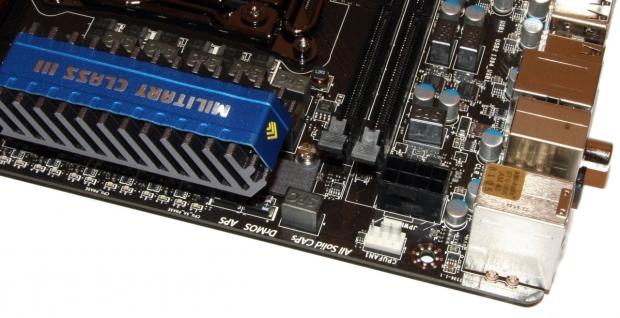
Probably one of the more interesting things around is the lack of heatsinks present on the board. Normally we'd have a fair bit of the ol' heatsink going on around here, but you can see we've just got a single one up the top with a heatpipe heading south.
 14
14As usual, we've also got our 8-Pin CPU power connector and you can see that's located in the normal corner behind another fan header.
 14
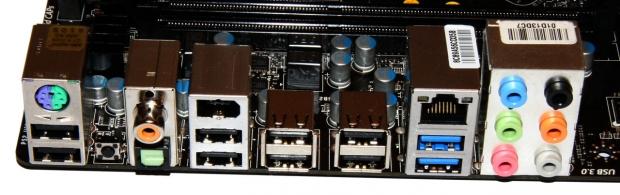
14Finally, we finish off with the I/O side of things and you can see we've got a combo PS/2 port and eight USB 2.0 headers. We've got our little black button on the back which is used to reset the BIOS and next to that a S/PDIF and Optical Out. We've got a single Firewire port running off the VIA VT6315N controller.
Two USB 3.0 ports are present which run off the NEC S720200 controller along with a gigabit network port off the Realtek RTL8111E controller. Finally, we've got six audio jacks and they run off the Realtek ALC892 HD audio codec.
Final Thoughts
For the most part we already have a good idea of what the new Sandy Bridge-E platform is bringing to the table and in typical Intel fashion we'll no doubt be showing off boards in the coming weeks prior to the November launch.
Everything is beginning to line up with processors on the way, Quad Channel memory kits and of course more motherboards than we can poke a SB-E based processor at. In terms of what MSI are offering here, we've got a pretty nice spread. The typical MSI look is on offer and that's a pretty good look.
The inclusion of Click BIOS II is also nice, although expected. OC Genie II as always makes an appearance, but what has us really intrigued is the inclusion of the + and - buttons which are labeled as Direct OC. These kinds of buttons we've seen on video cards before, but not so much on motherboards. It will be interesting to see what this can do for us in terms of overclocking.
In typical pre NDA fashion, we couldn't go into a massive amount of detail when it comes to certain specifics. We have been able to cover a lot and no doubt what we're all waiting for is the performance of the board, chipset and new line of CPUs from Intel.
What's really refreshing, though, is just how early we're seeing the Intel products show up. Compared to AMD who kind of scramble to get us stuff the week before, or sometimes only days, we've still got a little bit 'till the launch, yet everything is beginning to fall in place nicely.
Keep an eye out for more motherboard previews as we build up to the launch of the new Sandy Bridge-E platform from Intel due in November.
 United
States: Find other tech and computer products like this
over at
United
States: Find other tech and computer products like this
over at  United
Kingdom: Find other tech and computer products like this
over at
United
Kingdom: Find other tech and computer products like this
over at  Australia:
Find other tech and computer products like this over at
Australia:
Find other tech and computer products like this over at  Canada:
Find other tech and computer products like this over at
Canada:
Find other tech and computer products like this over at  Deutschland:
Finde andere Technik- und Computerprodukte wie dieses auf
Deutschland:
Finde andere Technik- und Computerprodukte wie dieses auf  Dragon's Dogma 2 patch delivers some important fixes - but not the one everyone wants
 AMD's top Strix Point Halo APU could have 16 Zen 5 cores in 2 x CCDs, mirroring Ryzen 9000 CPUs
 FBI confirms Chinese hackers have infested US water and energy systems
 Microsoft's new Windows 11 'AI Explorer' feature set to anger AMD and Intel
 High-end PC maker gives advice that could fix Intel Core i9 CPUs crashing in games
 ASUS ROG Swift Pro PG248QP Gaming Monitor Review - Frames, frames, and more frames
 FlexiSpot C7B-Mesh Ergonomic Office Chair Review
 Samsung G8 34-inch QD-OLED Gaming Monitor Review - 175Hz for $900
 ASRock NUCBOX-155H Mini PC Review
 NuPhy Air96 V2 Wireless Mechanical Keyboard Review
 TEAM T-FORCE Siren DUO360 RGB Liquid CPU Cooler Review
 AVerMedia Live Streamer ULTRA HD Review
 AVerMedia Live Gamer 4K 2.1 Review
 XPG Invader X Mid-Tower Chassis Review
 Intel Core i9-14900KS CPU Review
 Everything you need to know about the latest ASUS NUC Mini PCs - NUC 14 Pro and ROG NUC
 How to Overclock Your GPU and Boost Your PC Gaming with ASUS GPU Tweak III
 ASUS's AMD Radeon RX 7000 Series GPU lineup has something for every gamer
 ASUS OLED Premium Care defends the ROG Swift OLED PG32UCDM gaming monitor from burn-in
 Patriot Viper Xtreme 5 Engineering Prototype 48GB Dual-Channel Memory Kit Preview