

Introduction
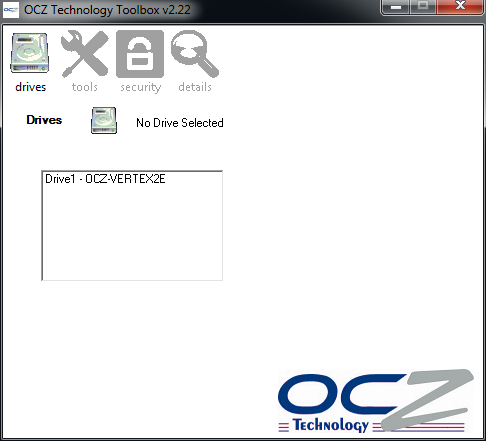
If you follow the solid state drive market, you may have heard some of the reviewers talk about a tool released by OCZ called the OCZ Toolbox. OCZ released this tool for reviewers many months ago and asked us to keep it under wraps while they perfected this application.
On October 20th OCZ released an updated version of the Toolbox for the public. The public release is missing a couple of the features found in the beta editions, but all of the useful tools are present. Let's take a look at the software and see what all it does.
No Installation Required
OCZ's Toolbox is a simple EXE file that doesn't require an installation to run. This means you can run the application without disrupting your other files and also don't have to remove anything once you are finished with the tool. You can even launch the software from a flash drive.
OCZ Toolbox Drives and Tools Menus
Let's take a look at the four main menus of the software and see what all of the buttons do. It should be noted that you must run the software with the right click>Run As Administrator option if you have UAC enabled on your computer.
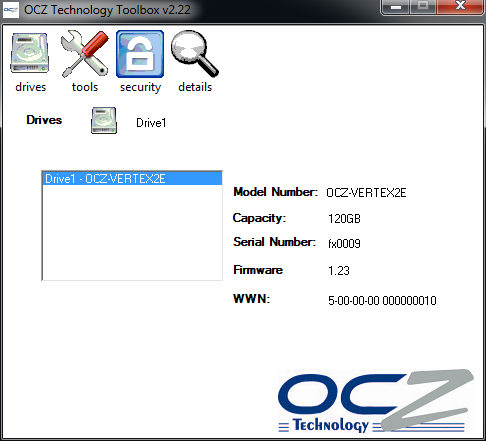
The opening menu can also be called the Drive Menu, since this is where you select the drive you wish to work with. In this demonstration we will be working with a Vertex 2E 120GB drive. Once you have selected the drive you wish to work on you can click the other menus at the top of the software window.
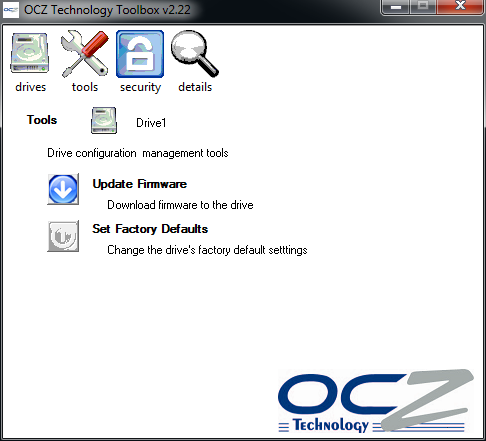
The next menu is the Tools Menu. Here you can update your firmware and be teased with a setting called Set Factory Defaults.
For many people the Update Firmware feature will be a God send. With your computer connected to the internet you press this little button of convenience and within 10 seconds your drive has the latest and greatest firmware on it.
It sounds so simple and it really is. There is one thing that you need to do, though, prior to updating the firmware this way. The drive you want to flash with the latest firmware can't be running as a boot drive when you flash the drive. You will need to either boot from another drive in the same computer or pull the drive and flash it on another computer.
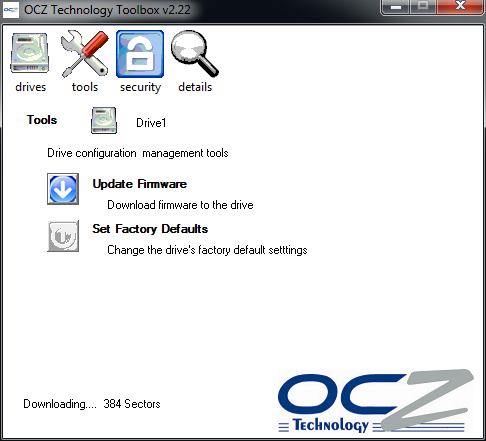
In the above image you can see in the lower left hand corner where it shows the software flashing the drive. When the flash has completed you may see a Firmware Update Completed message or it will take you directly back to the Drive Selection Menu.
At this time the Set Factory Defaults button does not work.
OCZ Toolbox Security and Details Menus
OCZ Toolbox Security Menu
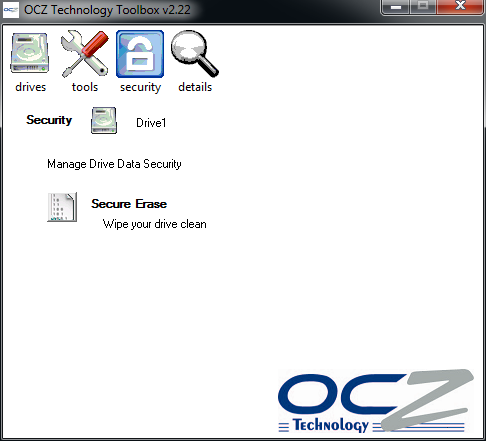
The Security Menu offers just one option in the public release and that is the Secure Erase option. To use Secure Erase to get your drive back to a like new, fresh condition, you will need to delete all partitions on the drive in Windows Disk Management. When this happens all of the data on the drive will be destroyed and lost forever.
Once the Secure Erase is finished a message at the bottom left handle corner will stay Secure Erase Complete. At that time you need to reboot your computer to finish the operation.
OCZ Toolbox Details Menu
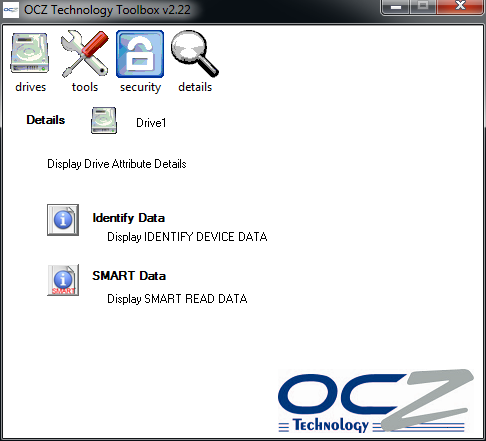
The final menu is the Details Menu. Here you can look at your drive in greater detail and access accurate SMART information.
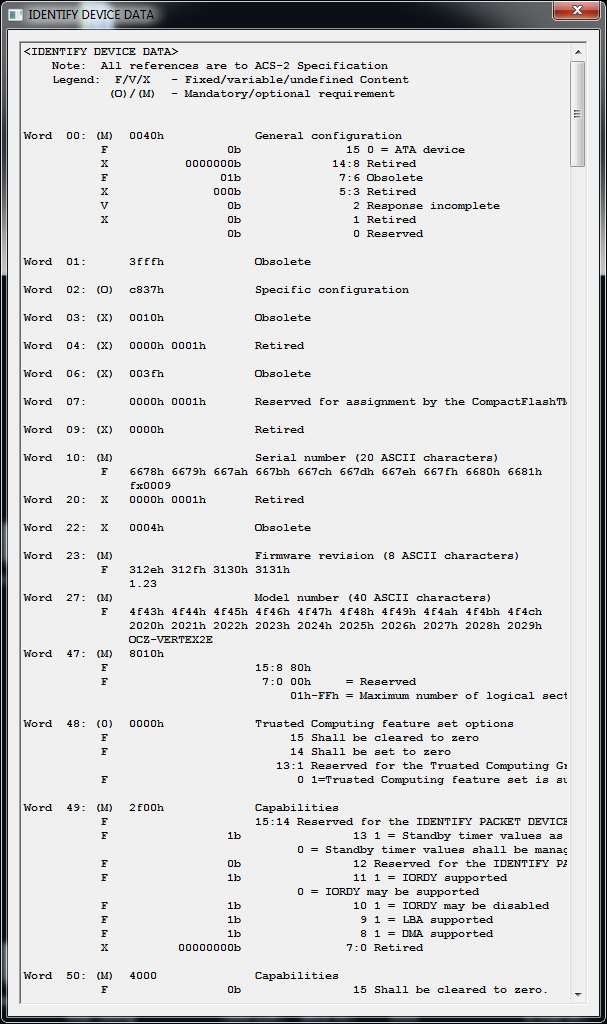
In this image we see the window that opens when you choose Identify Data. There is a lot of information here and we are just starting to dive into this section to find out what all the software is telling us about the drives. Most users will have little need for this area, but we hope to eventually use it to tell what features have been turned on and off in each drive.

A far more useful tool for end users is the SMART Data. Here you can keep track of the status of your drive, how many times you have done something bad the drive doesn't like or even monitor the estimated life of your drive left. Don't get too worried, these are only estimate numbers and if you don't like what they say you can always go back and secure erase the drive and it will then read at 100% of life remaining.
Final Thoughts
I've been using OCZ's Toolbox for a few months now to Secure Erase drives after I finished testing them. The new, better implemented Firmware Update tool makes flashing the latest firmware much easier as long as you have a second computer to do it with. The best thing is you don't have to go into your computers BIOS and make changes, then boot to a DOS environment.
I do have one warning for impatient users, though. When performing a Secure Erase action wait until the software says that the action is completed. I wasn't paying attention one night at around 4AM and had a little accident. Luckily I have a few spares sitting around and can be careless from time to time. If you want to enjoy your drive the following day take your time and pay attention to what you are doing.
OK, with my 'don't break your stuff' message out of the way, I can say I did my part. If you own an OCZ Vertex 2, Agility 2 or LE, the OCZ Toolbox can make complicated tasks very easy. Not everyone has the time to learn how to run a firmware update program in DOS or mess with erasing a drive. Even those that know these procedures like the back of their hand will find the OCZ Toolbox very useful. Do yourself a favor and go get it from the OCZ forums.
 United
States: Find other tech and computer products like this
over at
United
States: Find other tech and computer products like this
over at  United
Kingdom: Find other tech and computer products like this
over at
United
Kingdom: Find other tech and computer products like this
over at  Australia:
Find other tech and computer products like this over at
Australia:
Find other tech and computer products like this over at  Canada:
Find other tech and computer products like this over at
Canada:
Find other tech and computer products like this over at  Deutschland:
Finde andere Technik- und Computerprodukte wie dieses auf
Deutschland:
Finde andere Technik- und Computerprodukte wie dieses auf  NASA confirms nuclear-powered Dragonfly mission with a Saturn moon destination
 NASA's Mars sample mission crumbles leaving precious samples stranded
 Gamer beats Elden Ring using just one button and Morse code
 Space object smashes through roof of Florida home, NASA confirms surprising origin
 Several Radeon RX 7700 XT models from AMD partners are now available for under $400
 Samsung G8 34-inch QD-OLED Gaming Monitor Review - 175Hz for $900
 ASRock NUCBOX-155H Mini PC Review
 NuPhy Air96 V2 Wireless Mechanical Keyboard Review
 TEAM T-FORCE Siren DUO360 RGB Liquid CPU Cooler Review
 AVerMedia Live Streamer ULTRA HD Review
 AVerMedia Live Gamer 4K 2.1 Review
 XPG Invader X Mid-Tower Chassis Review
 Intel Core i9-14900KS CPU Review
 Arbiter Polar 65 Magnetic Gaming Keyboard Review
 ASUS ROG Falchion RX Low Profile Keyboard Review
 Everything you need to know about the latest ASUS NUC Mini PCs - NUC 14 Pro and ROG NUC
 How to Overclock Your GPU and Boost Your PC Gaming with ASUS GPU Tweak III
 ASUS's AMD Radeon RX 7000 Series GPU lineup has something for every gamer
 ASUS OLED Premium Care defends the ROG Swift OLED PG32UCDM gaming monitor from burn-in
 Patriot Viper Xtreme 5 Engineering Prototype 48GB Dual-Channel Memory Kit Preview