

The iPhone becomes a victim of its own popularity
It is no secret that the Apple iPhone is one of the most owned smart/entertainment phones in the world. It is also no secret that more than half of the phones out there on the market are jailbroken and of those a large number are both jailbroken and unlocked. This is a figure that drives Apple absolutely bananas. They hate the fact that users have control over what they can and cannot do with their phones.
To counter this, Apple has tried everything from scare tactics (claiming that jailbroken phones can be used by terrorists to bring down the global cellular network) to an attempt to make the creation (and use) of jailbreaking software illegal through copyright violations. So far, thankfully, none of these have succeeded, so they have only had the option of trying to block holes and exploits with new firmware updates (which also have failed).
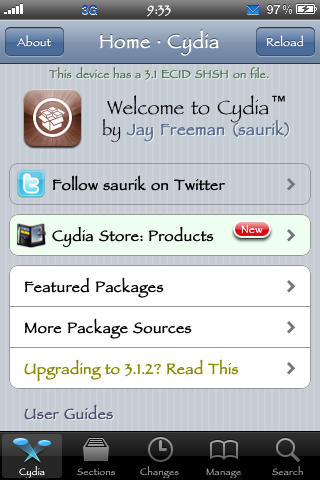
But now we see something new, Apple and its global partners may actually have a friend (although an unintentional one). With the sudden creation of a string of worms for the iPhone software, we have a real answer to the scare tactics that Apple has tried to use. But is this a real threat, or does it once again play on user ignorance to exploit a known hole in a rather insecure operating system?
To answer that, we need to take a look at the two most recent worms for the iPhone OS. The first was an annoying but rather harmless bit of malware that replaced images on the screen with a picture of the one hit wonder. The exploit worked through jailbroken iPhones that had SSH installed and that left the default root password on the phone. It also only seemed to work over the WiFi connection. In fact, we could not connect to our iPhone 3G S over the 3G network using SSH and Winscp or Putty.
Following hot on the heels of the Rick-Roll incident was a much more malicious bit of code that uses the same exploit, but this time captures user data from web browsing and apps that connect to the web. This includes banking apps and even Facebook and Twitter. If it has a user name and a password it can grab it and forward it to servers run by the writers of the virus.
Now, we begin to see a pattern and one that screams of the dangers of jailbreaking the iPhone. But, is it really the act of jailbreaking that causes the problem? The answer to that is no. You see, by default SSH is not installed. You have to manually install it after you have jailbroken your iPhone.
The iPhone becomes a victim of its own popularity - Cont.
The iPhone becomes a victim of its own popularity - Continued
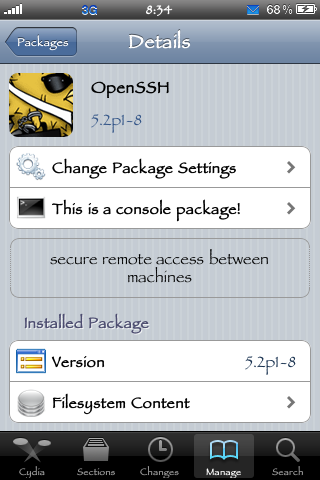
Yes, there are a few packages that install SSH for you as a dependency, but you should be able to see that beforehand and avoid them if you choose to. But there is an even easier way to prevent unwanted access to your iPhone. You can install an application like SBSettings of BossPrefs and with this you can easily turn off SSH when you do not need it to be running. But there is one step that you can (and should) perform. This is to change the default root password from Alpine to something different that you can remember. To do this you will need something like Putty (http://www.chiark.greenend.org.uk/~sgtatham/putty/download.html) or your favorite flavor of SSH application.
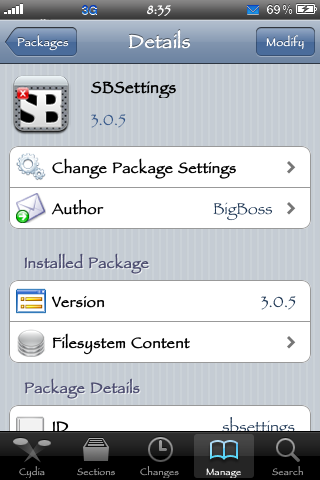
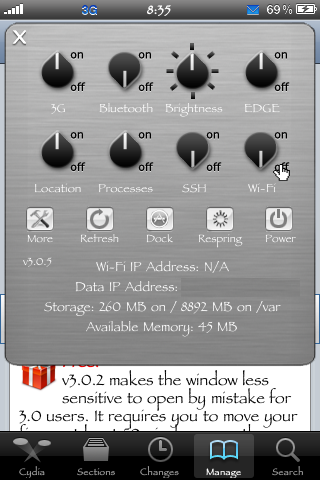
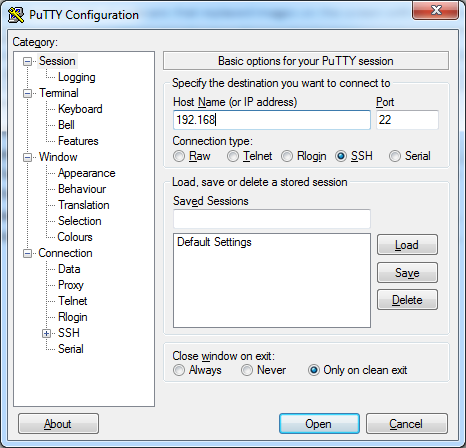
To do this you open up Putty and put in your wireless IP address. You can find this in Settings under the WiFi section, or you can see it in SBSettings. Make sure you set the port to 22 and the type of connection to SSH.
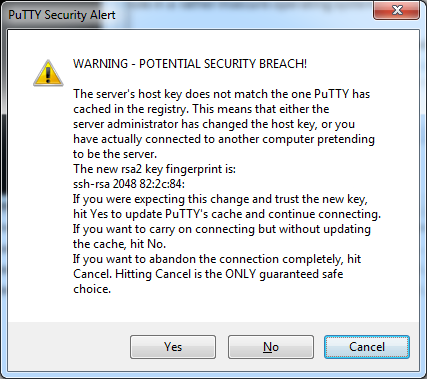
Once you connect you will get a warning, but should go ahead and click yes to enter the terminal.
You need to login as root to change that password, so go ahead and type root in the window that opens. Next, type the default password alpine; it is case sensitive and you will not see any indication that you are entering characters, but trust me, you are.

Once you have typed it in, press enter and you are now logged in as the root user of the iPhone. From there type in "passwd" (without the quotes). You may be prompted to type in the old root password (again, alpine). If you are, type that in and then enter the new password you have chosen when prompted, then again when asked to confirm the password change and you are done. Once you are finished go back into SBSettings and turn SSH and WiFi off (unless you need WiFi).

Conversely, you can use something like mobile terminal if you do not want to bother with an SSH connection to your phone. http://justanotheriphoneblog.com/wordpress/iphone-tips/how-to-change-the-iphones-root-password
Unfortunately this is probably just a Band-Aid on a much larger problem. As we have seen with Windows, once something becomes popular and widely used, it becomes a target for hackers and malware writers. But the iPhone is an even more attractive target because of its perceived notion of security. I have seen people leave saved passwords for banking apps, yet not even have a password to get into their phone. Further to that is the lack of complex password options for entry (unless connecting with MS Exchange).
These are all symptoms of a problem that threatens to blow up in the face of Apple and iPhone owners. As the iPhone gets larger and larger and the number of net aware and active apps pop up (combined with the "ease" of mobile banking), we will see this trend grow. For now you will hear how it is only the Jailbroken phones that are the problem, but as you can see, that is not true. It is a flaw in the way the OS image is created and the fact that Apple has not changed the default root password since its initial creation. So while it is easier to attack jailbroken phones that have SSH installed (and enabled), it is only the opening moves in a war that Apple is ill-prepared to fight.
I have a feeling that the jailbreaking community is prepared and will be the first people to counter this new threat. After all, they are the ones that know the inner workings and holes in the iPhone OS and will be the ones to help users close them to protect themselves.
 United
States: Find other tech and computer products like this
over at
United
States: Find other tech and computer products like this
over at  United
Kingdom: Find other tech and computer products like this
over at
United
Kingdom: Find other tech and computer products like this
over at  Australia:
Find other tech and computer products like this over at
Australia:
Find other tech and computer products like this over at  Canada:
Find other tech and computer products like this over at
Canada:
Find other tech and computer products like this over at  Deutschland:
Finde andere Technik- und Computerprodukte wie dieses auf
Deutschland:
Finde andere Technik- und Computerprodukte wie dieses auf 

 MSI's advice for Core i9 CPUs hit by game crashes includes 'workarounds recommended by Intel'
 No, your Apple trade-in hasn't been canceled - no matter what Apple says
 WhatsApp is rolling passkey support out for iPhone users
 Elon Musk is launching a separate app to watch X videos on your TV
 Meta's Twitter clone 'Threads' already has more users than Elon Musk's X
 ACEMAGIC AD08 "Core i9 11900H" Mini PC Review
 Lenovo ThinkPad X1 Carbon Gen 12 Review
 ASUS ROG Swift Pro PG248QP Gaming Monitor Review - Frames, frames, and more frames
 FlexiSpot C7B-Mesh Ergonomic Office Chair Review
 Samsung G8 34-inch QD-OLED Gaming Monitor Review - 175Hz for $900
 ASRock NUCBOX-155H Mini PC Review
 NuPhy Air96 V2 Wireless Mechanical Keyboard Review
 TEAM T-FORCE Siren DUO360 RGB Liquid CPU Cooler Review
 AVerMedia Live Streamer ULTRA HD Review
 AVerMedia Live Gamer 4K 2.1 Review
 Building the Ultimate Home Entertainment Server with an ASUSTOR NAS and Viper Gaming NVMe SSDs
 Everything you need to know about the latest ASUS NUC Mini PCs - NUC 14 Pro and ROG NUC
 How to Overclock Your GPU and Boost Your PC Gaming with ASUS GPU Tweak III
 ASUS's AMD Radeon RX 7000 Series GPU lineup has something for every gamer
 ASUS OLED Premium Care defends the ROG Swift OLED PG32UCDM gaming monitor from burn-in